

Collection page
Overview
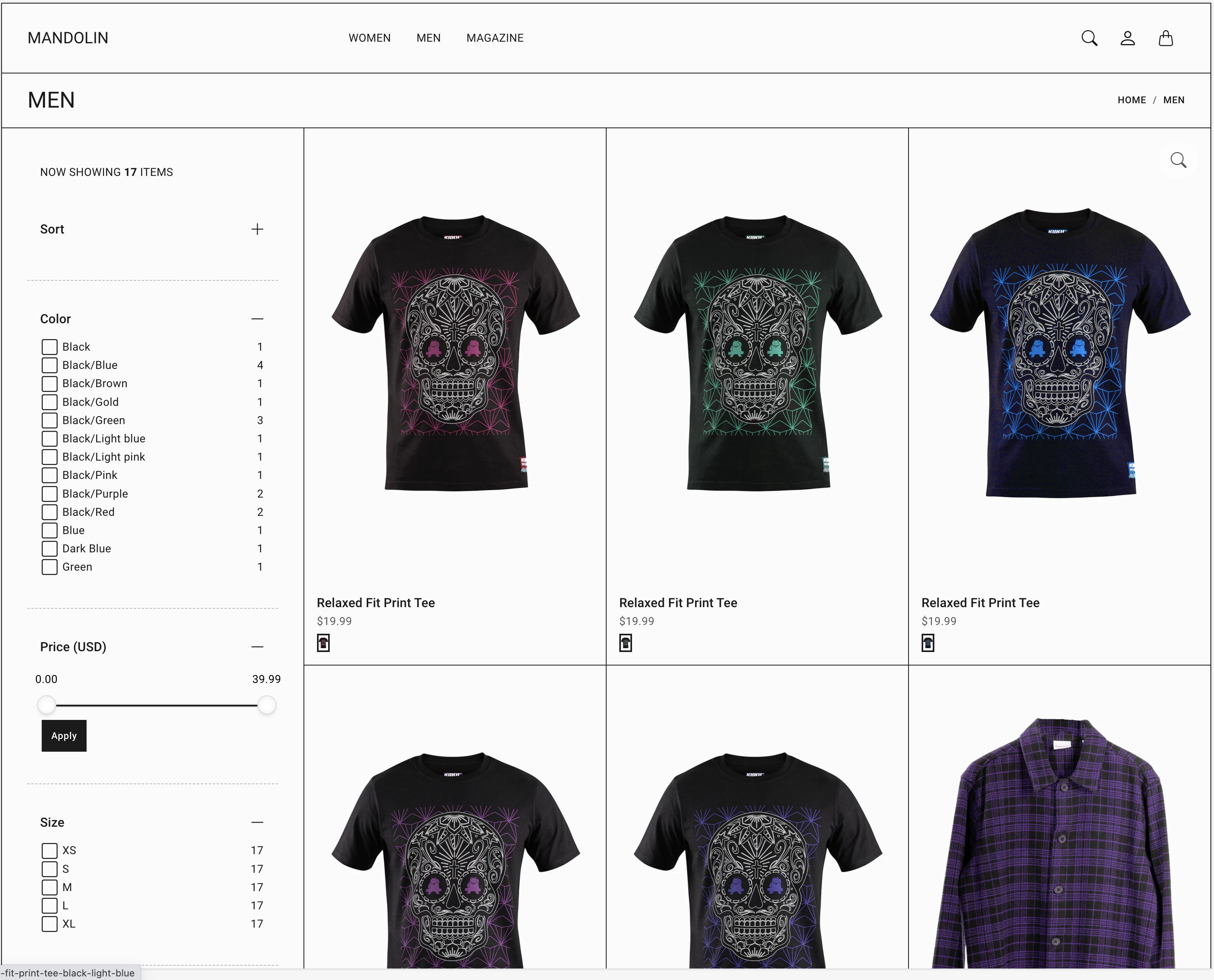
Section titled “Overview”Collection pages display your products in a grid, along with additional controls for sorting, filtering, and more.
Customize header
Section titled “Customize header”Steps:
- From your Shopify admin, go to Online Store > Themes.
- Find Mandolin theme that you want to edit, and then click Customize.
- You need to open up any product, from inside the theme editor area, or select the collection page from the dropdown at the top.
Section settings
Section titled “Section settings”By default, collection pages have a Collection products section.
Collection products section
Section titled “Collection products section”Blocks
Section titled “Blocks”The Collection products section contains the following 4 blocks:
- Product grid block
- Collection information block
Product grid block
Section titled “Product grid block”| Setting | Description |
|---|---|
| Enable filtering | Lets customers filter the products in the collection based on the filters in your Navigation settings. |
| Enable sorting | Allows customers to sort search results. |
| Number of filters on desktop | The number of filters that you want to display on desktop computers. Minimum is 0, maximum is 24. |
| GRID | |
| Products per page | The number of products that you want to display on each page. Can be any multiple of 4, from 8 to 48. Defaults to 16. |
| Number of columns on desktop | Use the range scale to select the number of columns that appear on desktop computers. Minimum is 2, maximum is 6. |
| Number of columns on mobile | Set a specific column layout for mobile devices. Choose between 1 and 2 columns. |
| PRODUCT CARD | |
| Show product info | Displays the product info for each product. |
| Show product rating | Displays the average product rating in stars with the number of reviews in parenthesis, for example: ★★★★★ (8). |
| Show vendor | Displays the vendor for each product. |
| Show swatch | Displays the swatch for each product. |
Collection information block
Section titled “Collection information block”| Setting | Description |
|---|---|
| Show collection description | Checked to show collection description. |
| Show collection image | Checked to show collection image. |
| Collection description color | Visible when the Show collection image setting is checked and the collection's featured image not blank. |
| Collection image size | Set the size of collection image using the drop-down menu:
|