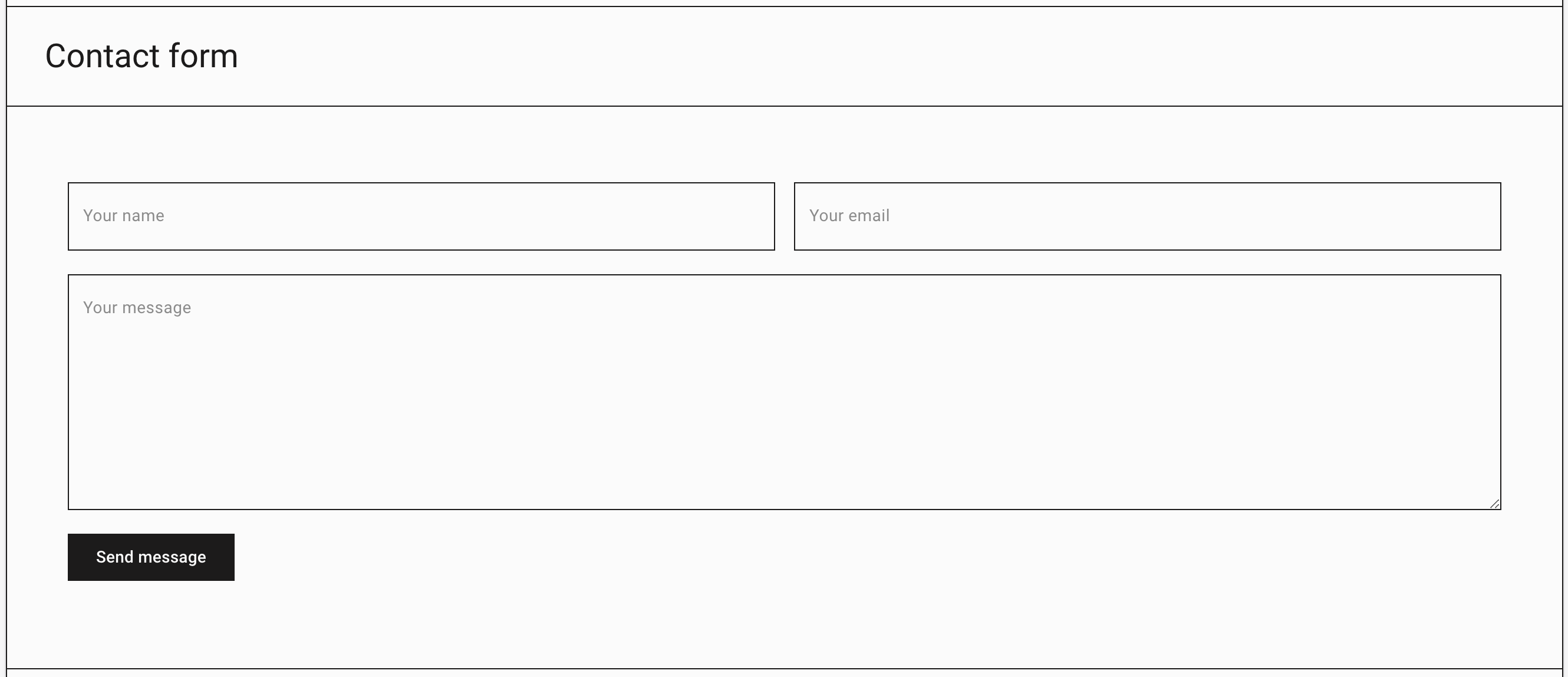
Your contact form sends all submissions to your store’s Sender email address. You can change the sender email address in the Store details settings page of your Shopify admin.
The form has the following fields by default, you can add another fields by add Text field or Dropdown blocks:
| Setting |
Description |
| Spacing position |
Choose from:
- None
- Top
- Bottom
- Top and Bottom
|
| Section width |
Set the width of the section using the drop-down menu:
|
| Color scheme |
A set of colors that you can apply to this section. Learn more about color schemes. |
| Section header |
|
| Heading |
The heading of the section. |
| Heading size |
Set the height of heading using the drop-down menu:
|
| FORM |
|
| Description |
The description of the form. |
| Setting |
Description |
| Name |
The name of the form field. |
| User long text |
Click the checkbox to make the field use textarea tag. |
| Field is required |
Click the checkbox to make the field must be filled. |
| Use full width |
Click the checkbox to make the field full width. |
| Setting |
Description |
| Name |
The name of the form field |
| Values |
Change the size of the heading text. Choose between small, medium, or large. |
| Field is required |
The dropdown values separate by a comma. |
| Use full width |
Click the checkbox to make the field full width. |

