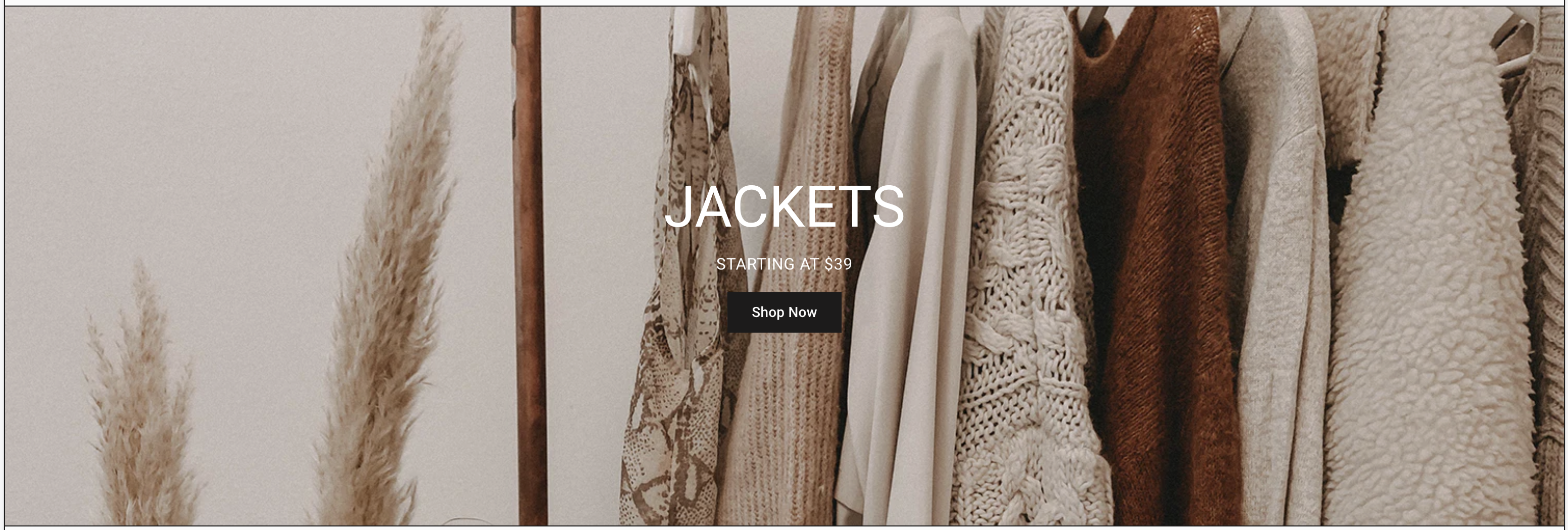
The image banner section supports image, heading, subheading and buttons.
| Setting |
Description |
| Spacing position |
Choose from:
- None
- Top
- Bottom
- Top and Bottom
|
| Color scheme |
A set of colors that you can apply to this section. Learn more about color schemes. |
| Color scheme mobile |
A set of colors that you can apply to this section. Learn more about color schemes. |
| Image |
The main image for the banner. If the mobile image is not set, this is image is used to display on mobile devices too. |
| Edit alt text |
Click to set image alt text for search engine optimization and to describe the image for customers using screen readers. |
| Image mobile |
The mobile image for the banner. If the image is not set, the above image is used. |
| Edit alt text |
Click to set image alt text for search engine optimization and to describe the image for customers using screen readers. |
| Image overlay opacity |
Adds an overlay to the banner images. Use the slider to set the opacity of the overlay. Defaults to 0%. |
| Content position |
The position of the content above the image. Choose from the drop-down menu:
- Top left
- Top center
- Top right
- Middle left
- Middle center
- Middle right
- Bottom left
- Bottom center
- Bottom right
|
| Setting |
Description |
| Text |
Title text for the section. |
| Heading size |
The font size of the heading, Choose from the drop-down menu:
|
| Color |
Set the color for heading text |
| Link |
The URL that you want the heading to link to. |
| Setting |
Description |
| Text |
Subheading text |
| Color |
Set the color for subheading |
| Setting |
Description |
| Text |
Displays paragraph-style text. |
| Color |
Set the color for description |
| Setting |
Description |
| Label |
The text that displays on the button. |
| Link |
The URL that you want the button to link to. |
| Style |
The style of the button. Choose between Primary and Secondary |
| Setting |
Description |
| Video URL |
Accepts Vimeo or YouTube links. |
| Video alt text |
Describe the video for customers using screen readers. |
| Cover image |
The image that displays before a customer plays the video. |

