Size chart
Also known as fitting guides, size guides, or measurement guides, size charts help customers determine which product options will be suitable for them.
Create the size chart
Section titled “Create the size chart”Create a page to include a measurements table.
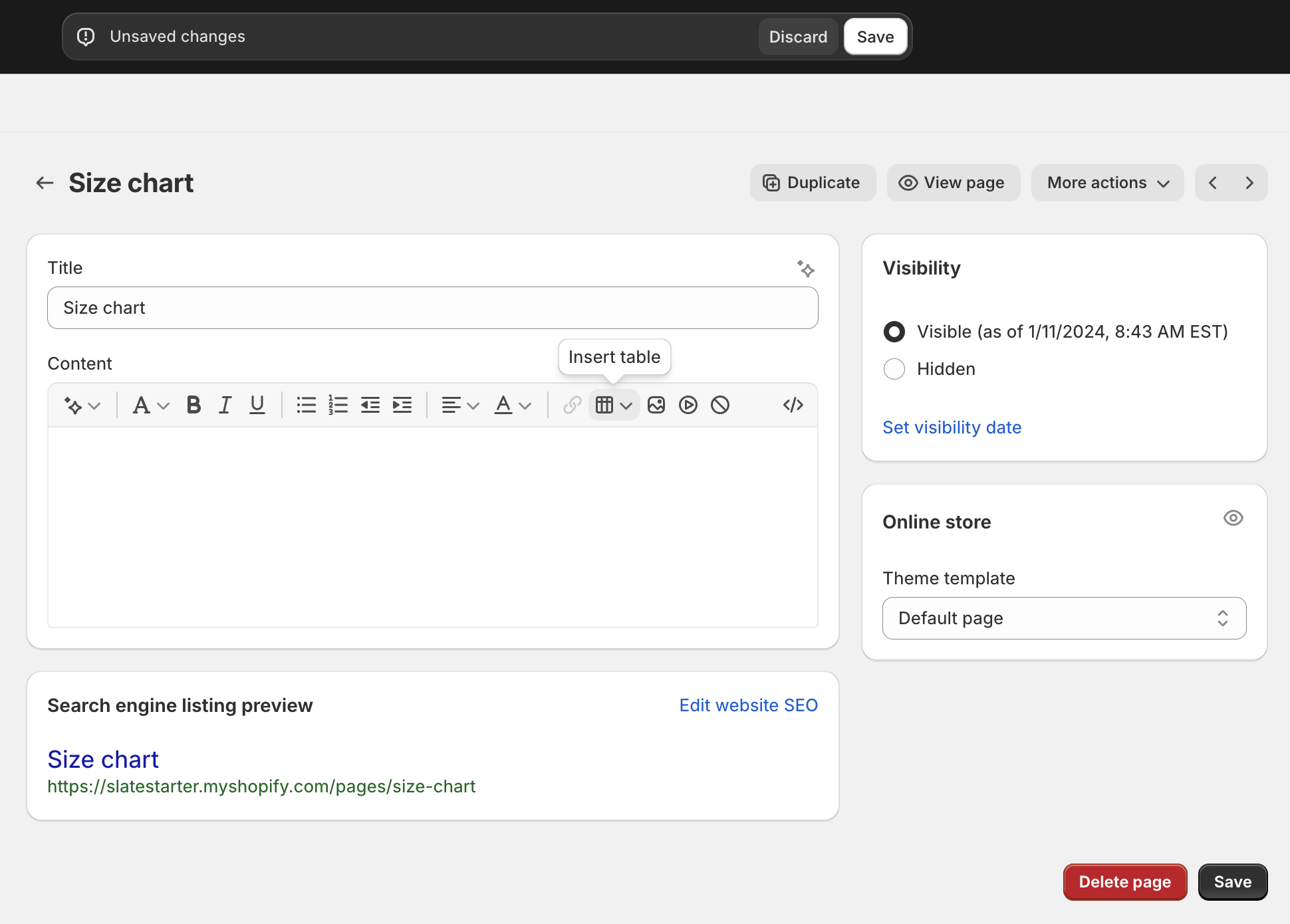
- From your Shopify admin, go to Online Store > Pages.
- Click Add page.
- In the Title box, type a title for your contact page, such as Size chart.
- In the Content box, add a table by selecting Insert table from the Content toolbar.
- In the Online store section, choose about from the Theme template drop-down menu.
- Click Save.
Connect a size chart to your products
Section titled “Connect a size chart to your products”- From your Shopify admin, go to Online Store > Themes.
- Find the theme that you want to edit, and then click Customize.
- You need to open up any product, from inside the theme editor area, or select the product page from the dropdown at the top.
- In the Left-hand side of your screen, click the Product information.
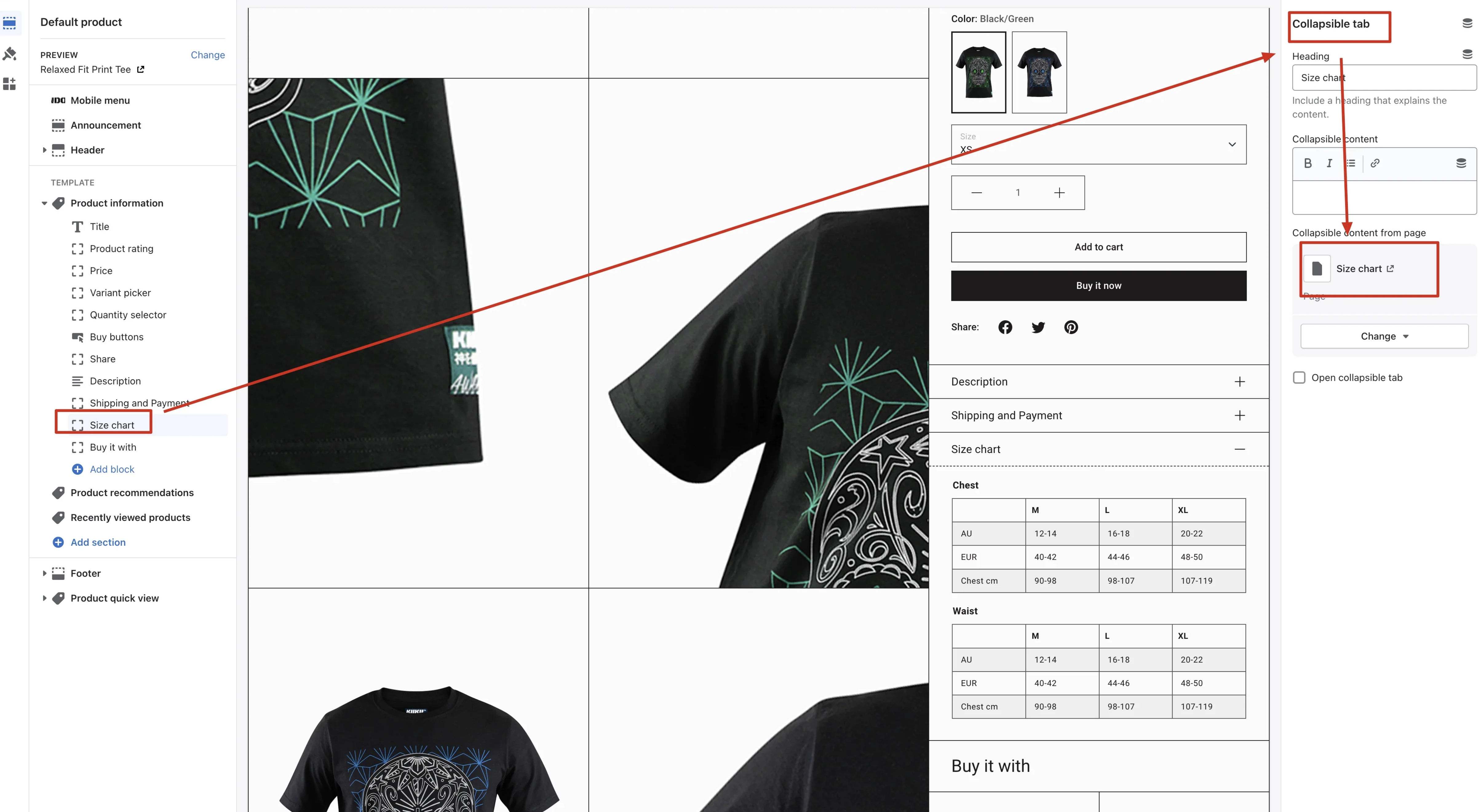
- Click + Add block and select ‘Collapsible tab’ or ‘Drawer tab’.
- Enter your size chart information in the ‘Collapsible tab’ or ‘Drawer tab’.
- Select the page with a size chart.
- Click Save.