Add custom fonts
Step 1: Upload font
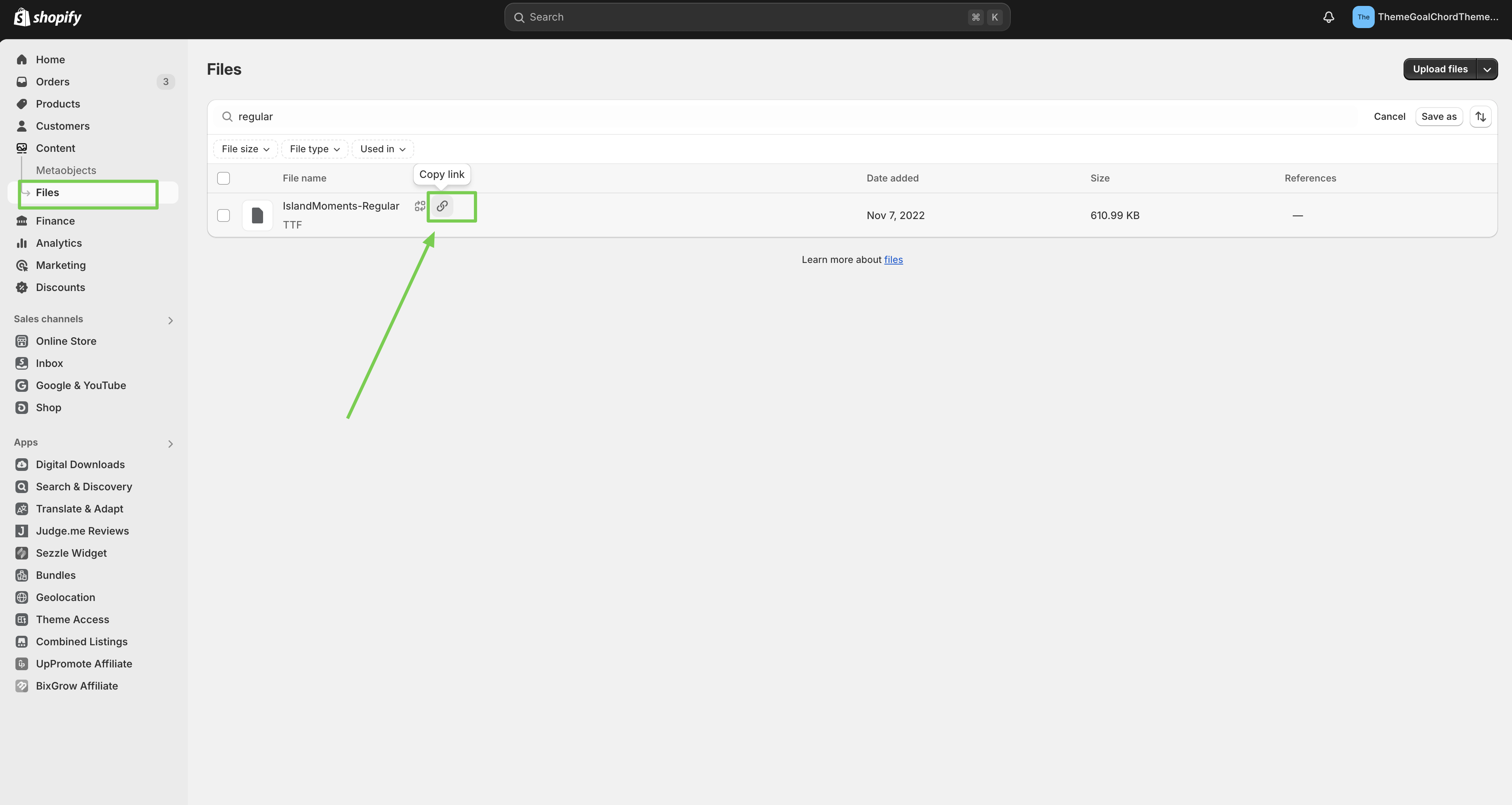
Section titled “Step 1: Upload font”- From Shopify admin, go to Content → Files
- Click Upload files and select all your font files
- Keep this page open since you’ll need the URLs in Step 2
Step 2: Load font into theme
Section titled “Step 2: Load font into theme”- From Shopify admin, go to Online Store → Themes
- Click Customize
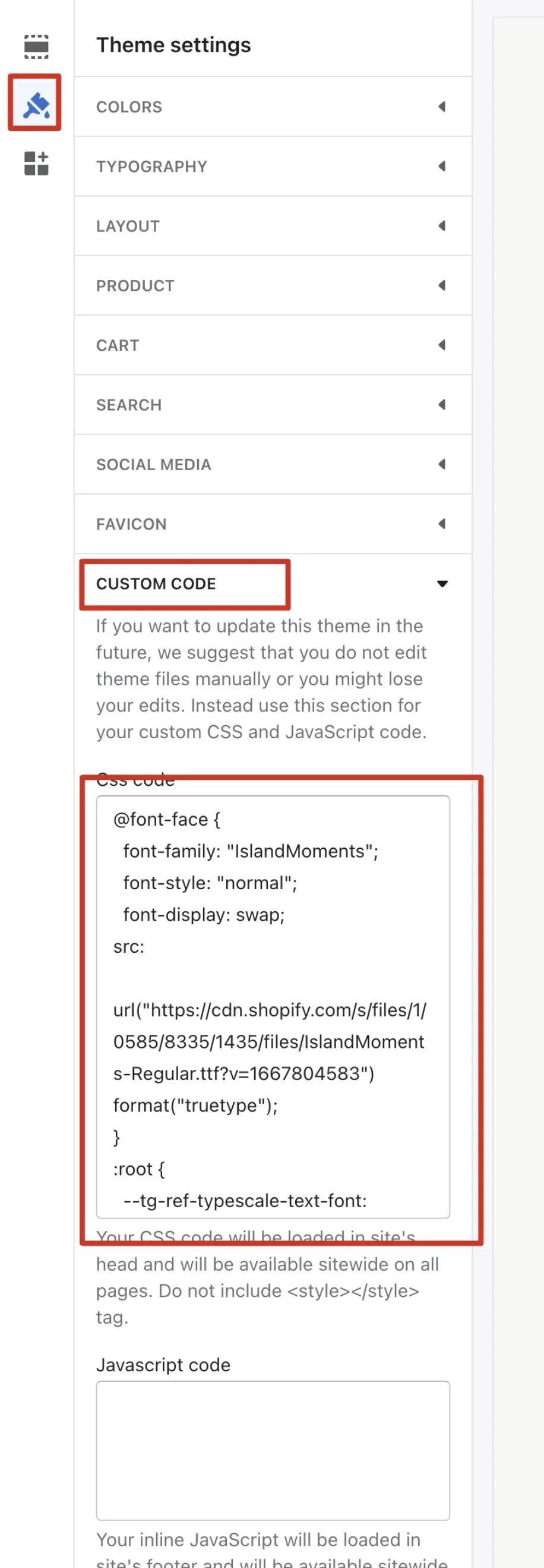
- Open Theme settings and scroll to Custom code
- Use ThemeGoal @font-face generator to generate the needed code, and paste the generated code into Css code area.
- When you’re done click Save