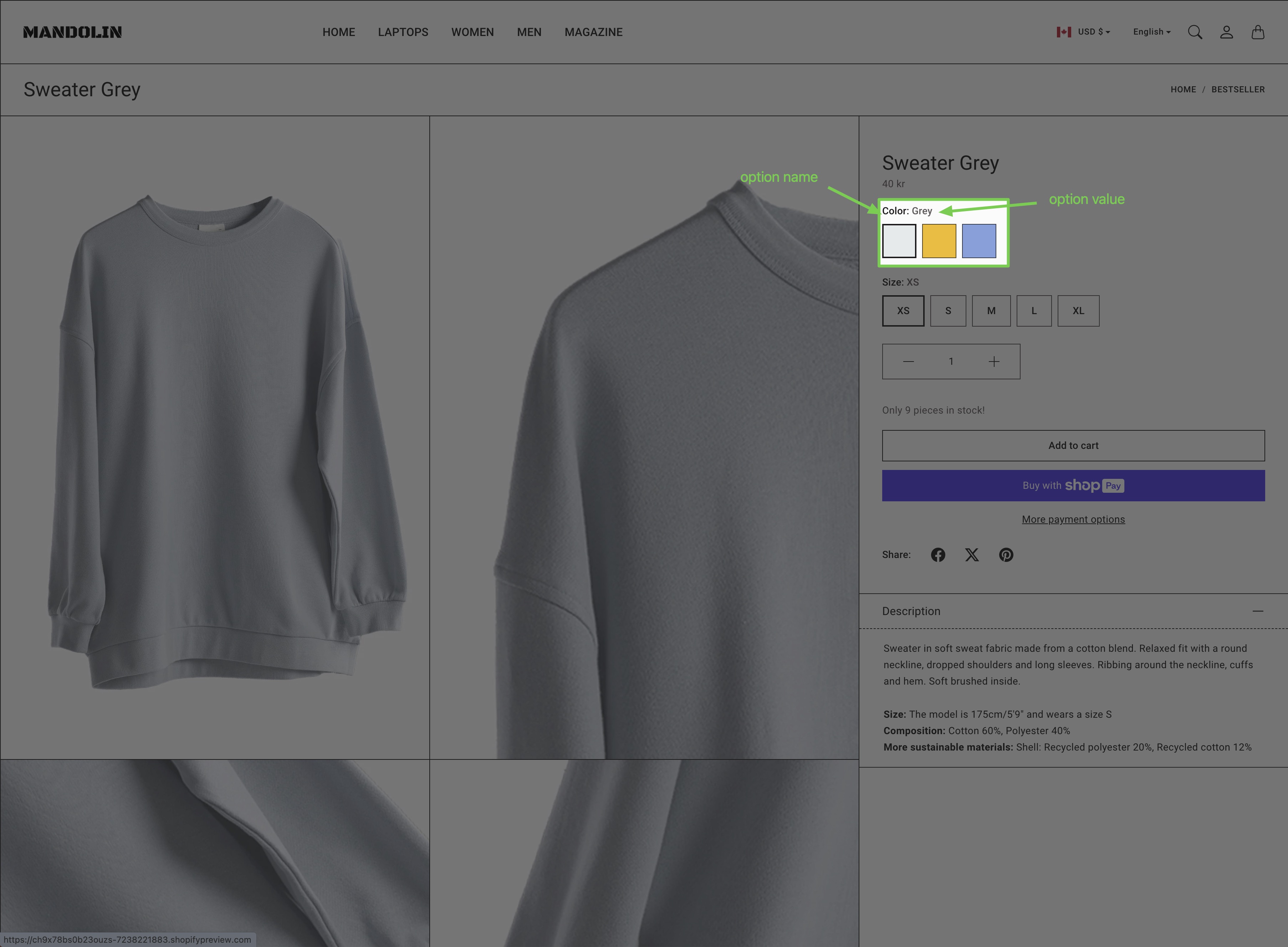
Combined products
Currently, Mandolin(v3.2.0), Lute(v2.2.0), Banjo(v3.2.0), and Chord(v4.2.0) all have the combined product function. There are a little more steps required to use this function, please read it patiently.
Of course, if you are a Shopify Plus account, you can use the official Combined lists app. For details, please refer to the official document https://help.shopify.com/en/manual/products/combined-listings.
Steps:
- Add Combined block
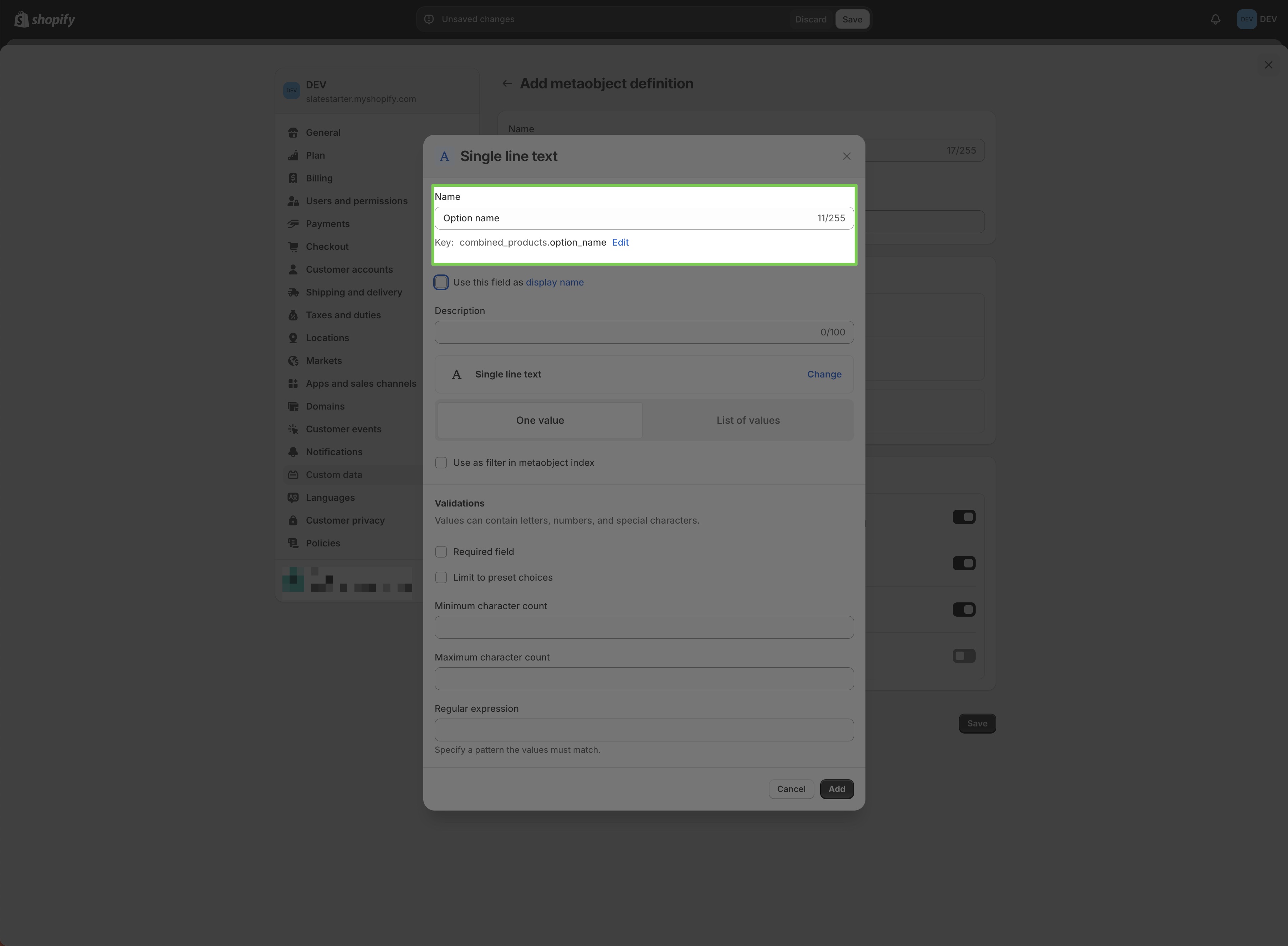
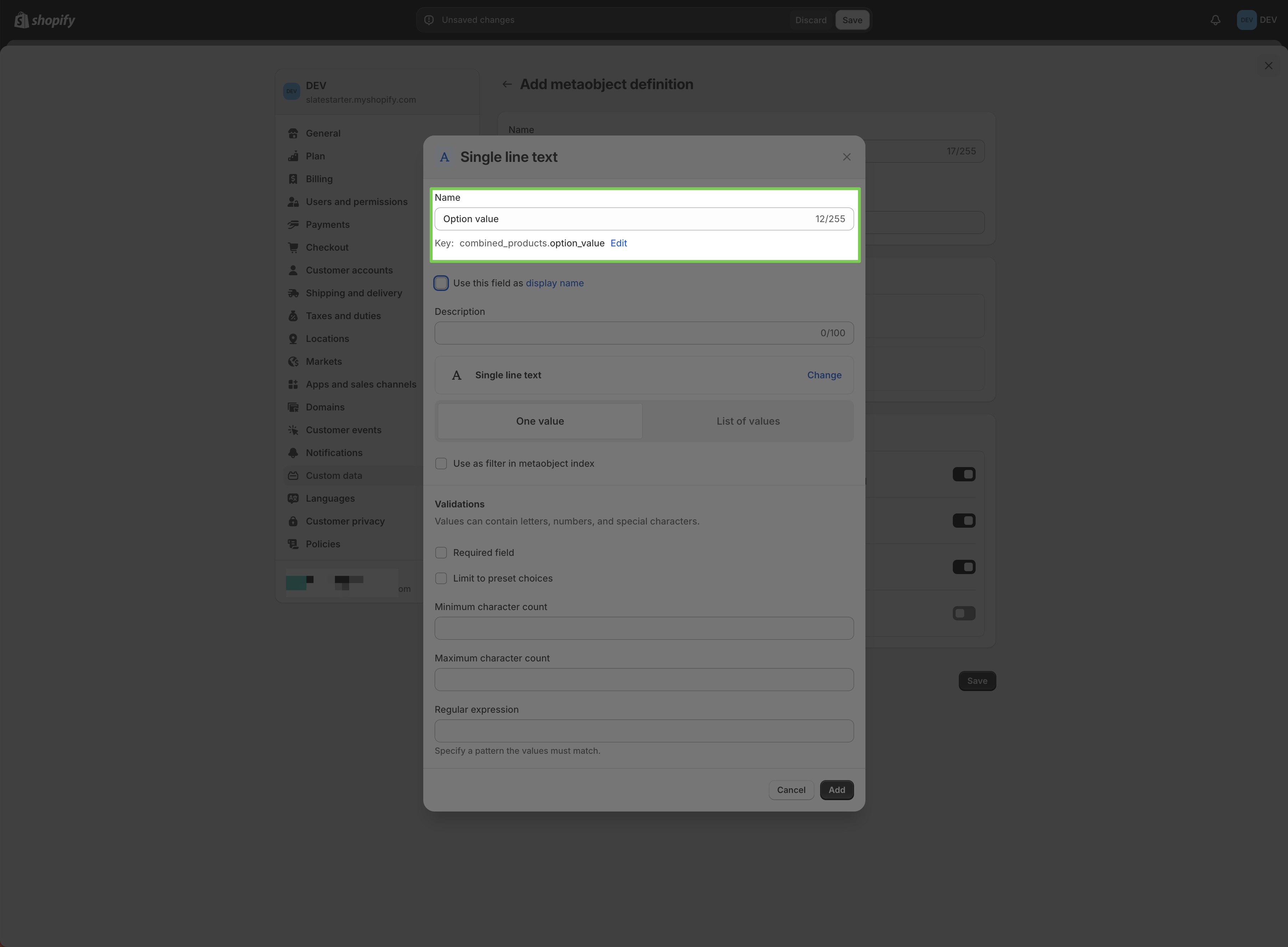
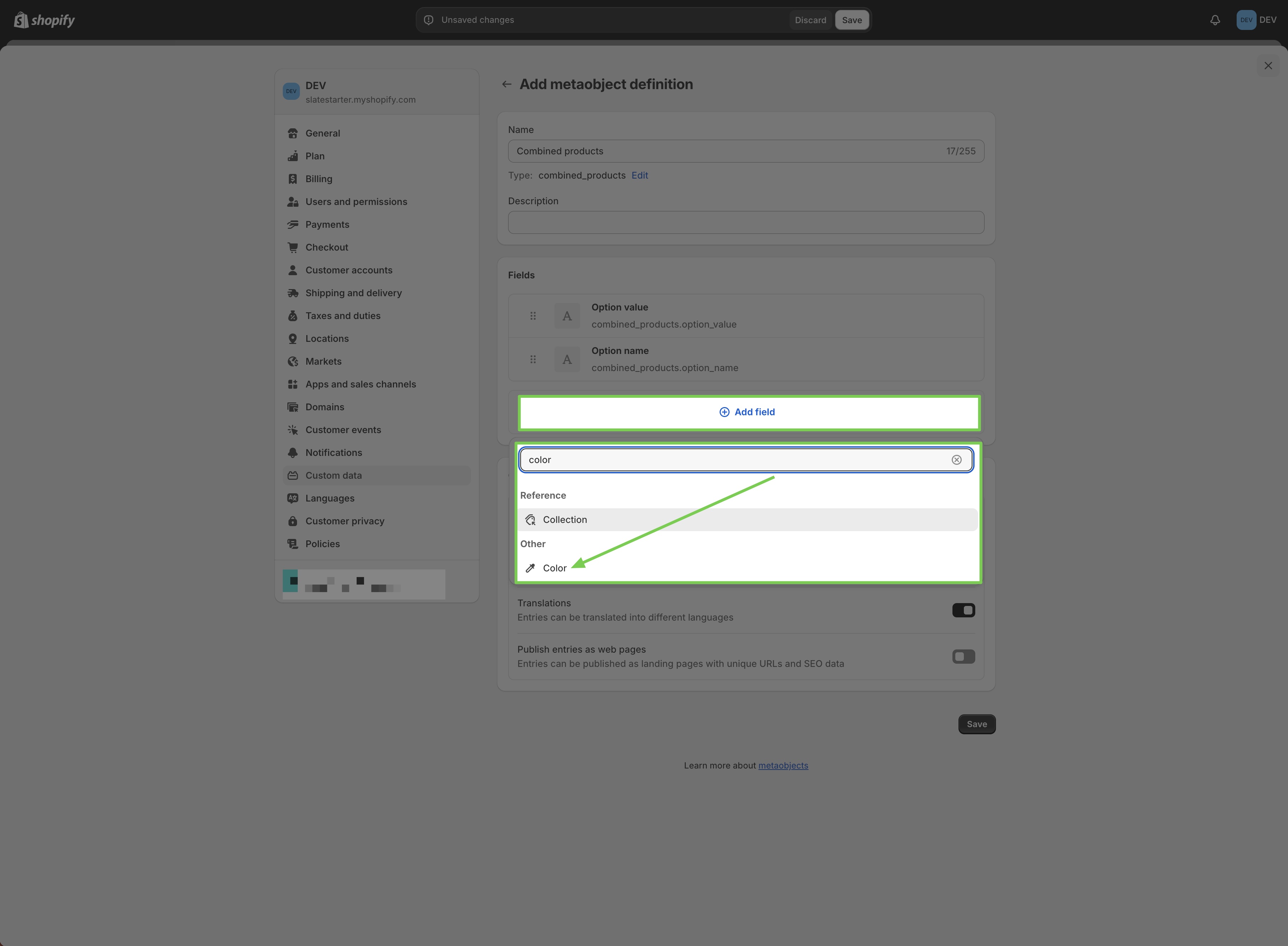
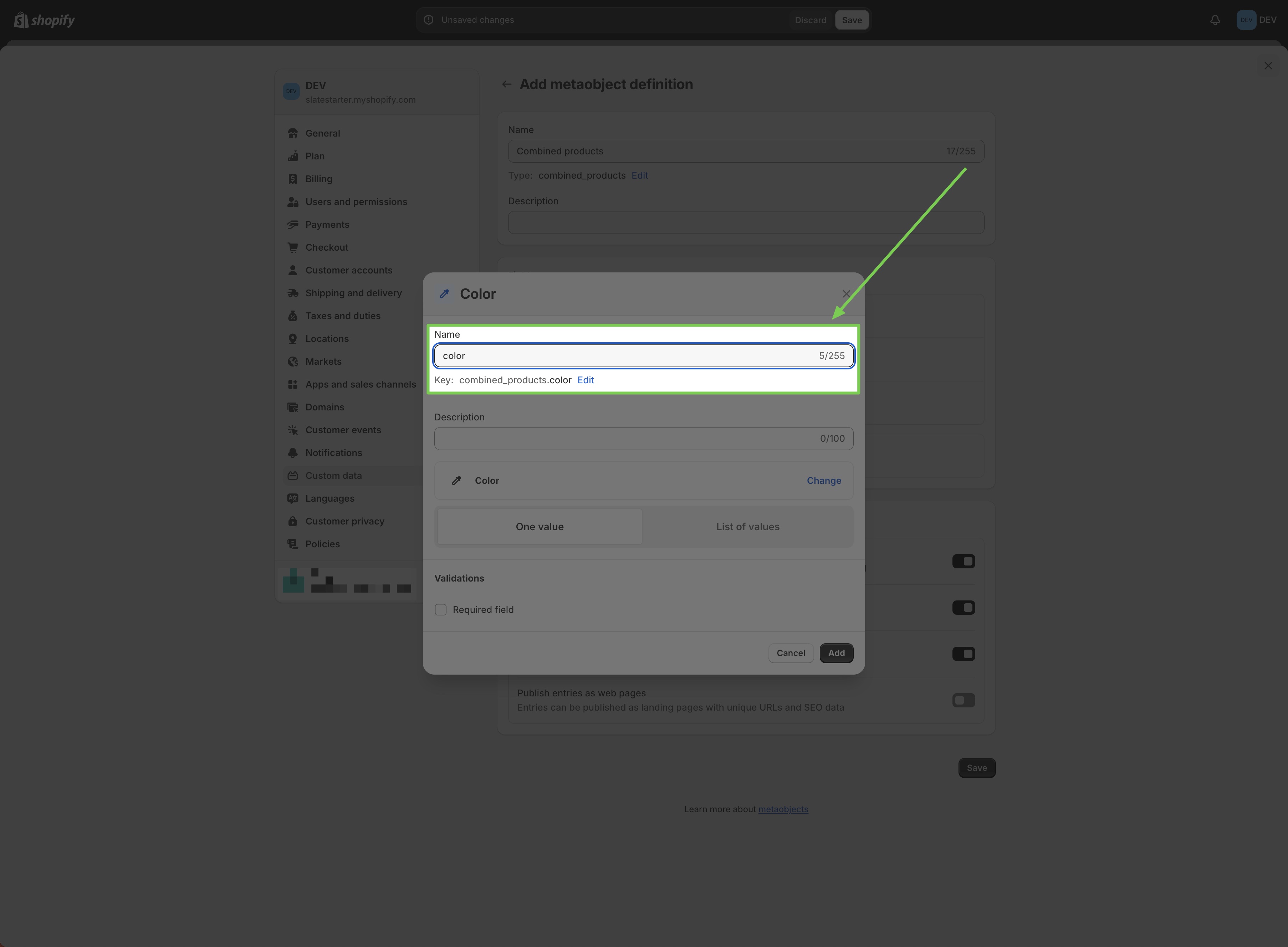
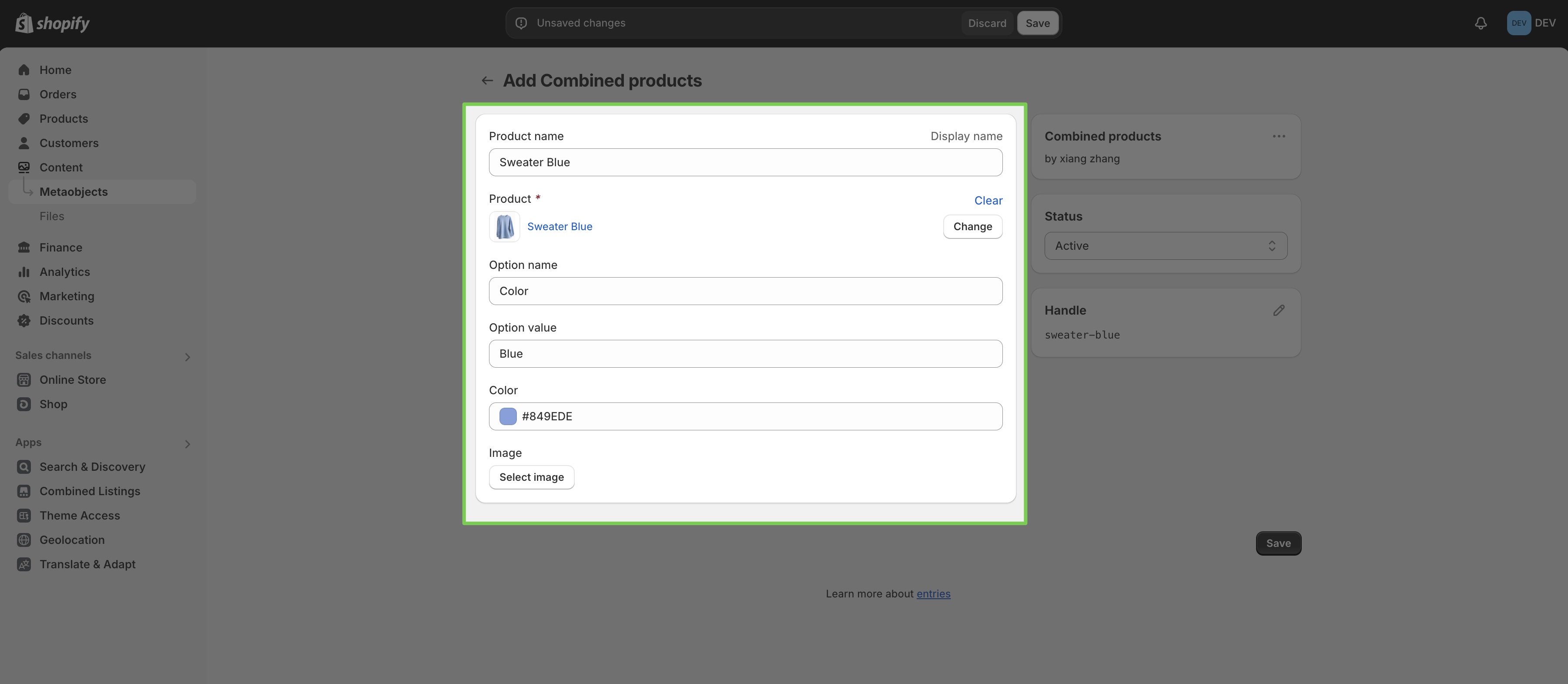
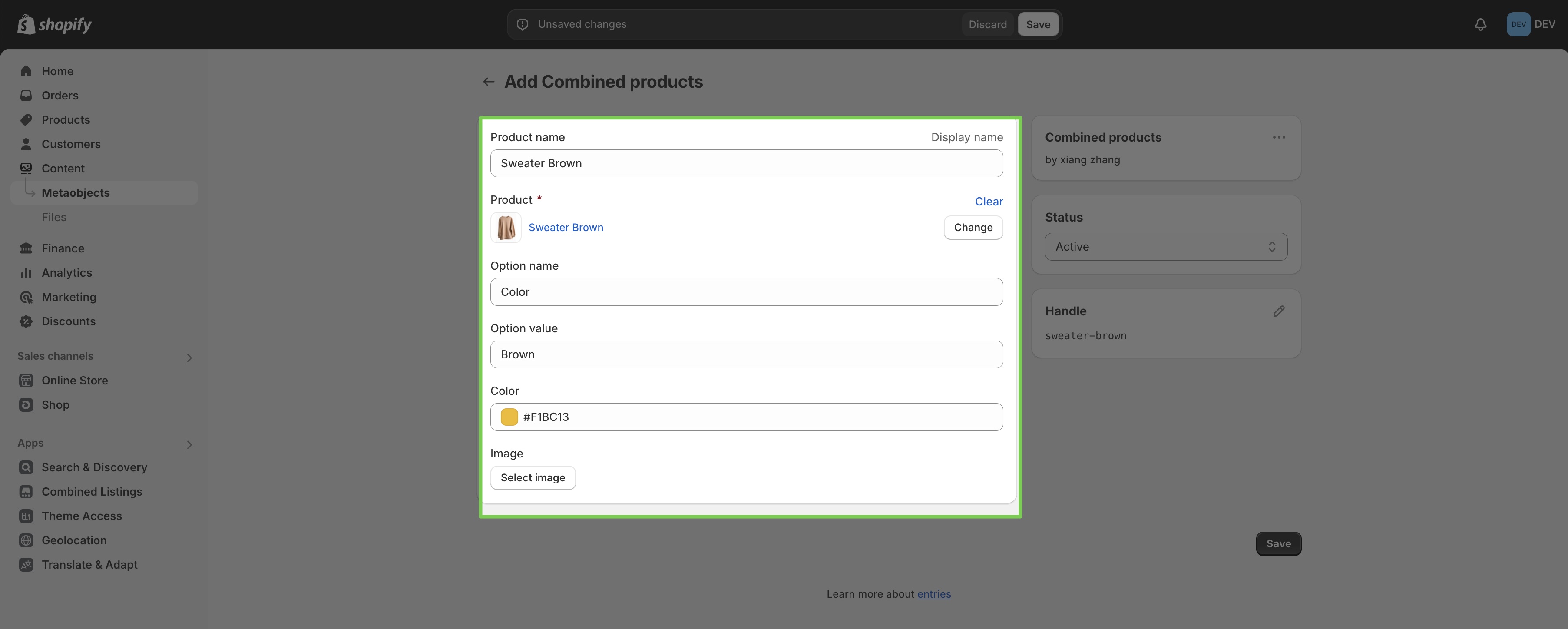
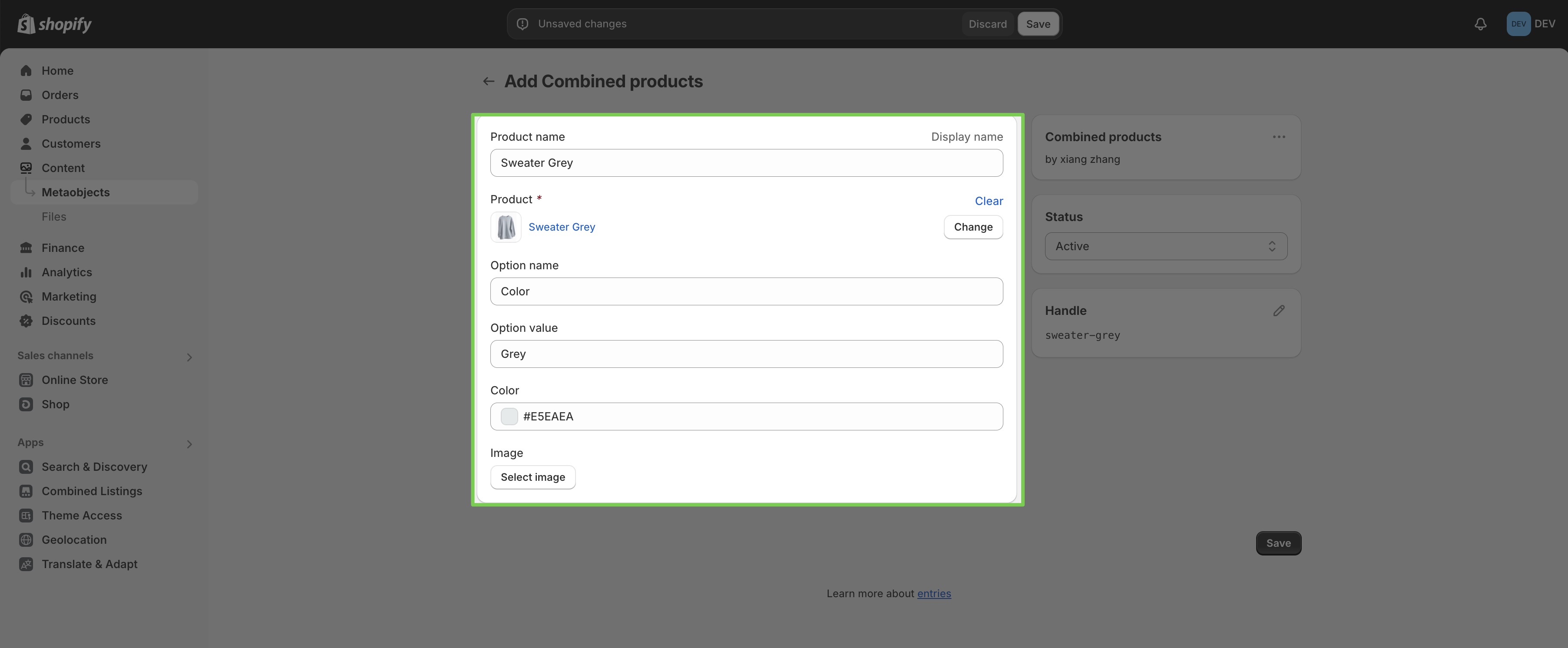
Field name Field type display_name Single line text option_name Single line text option_value Single line text product Product image File/images color Color - Define metaobject
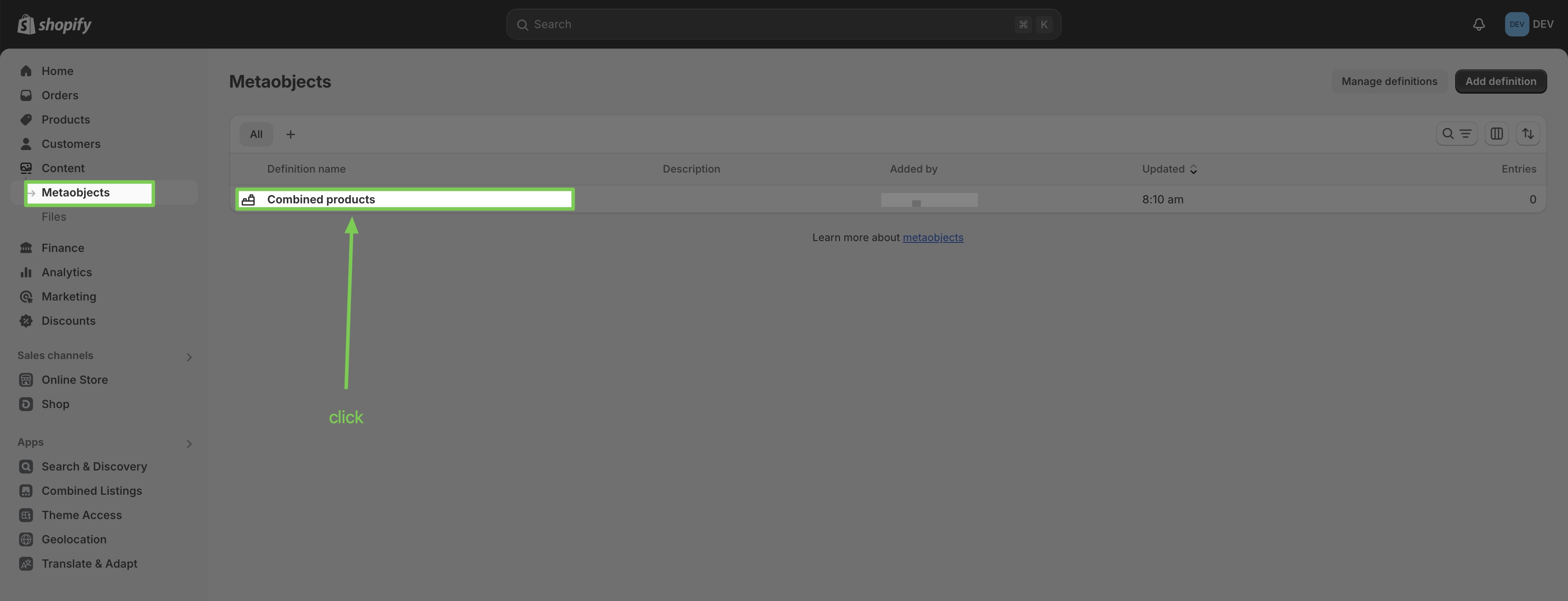
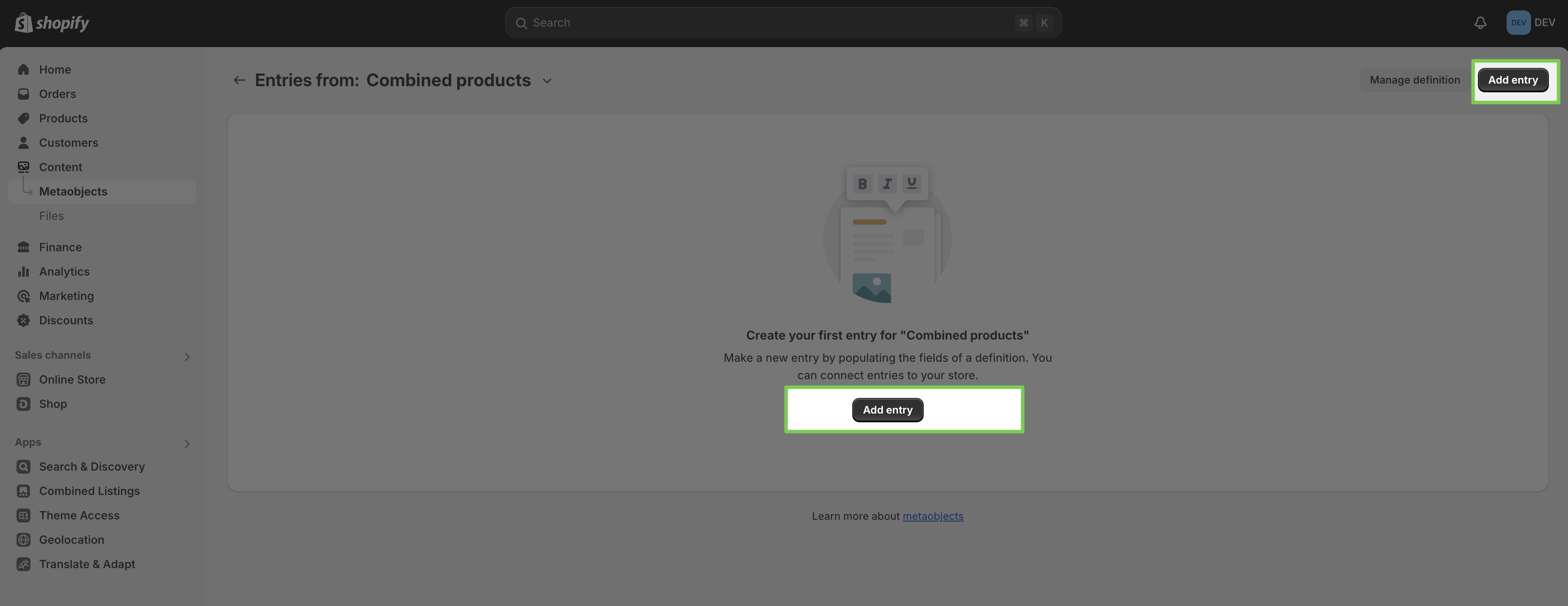
- Create metaobject entries
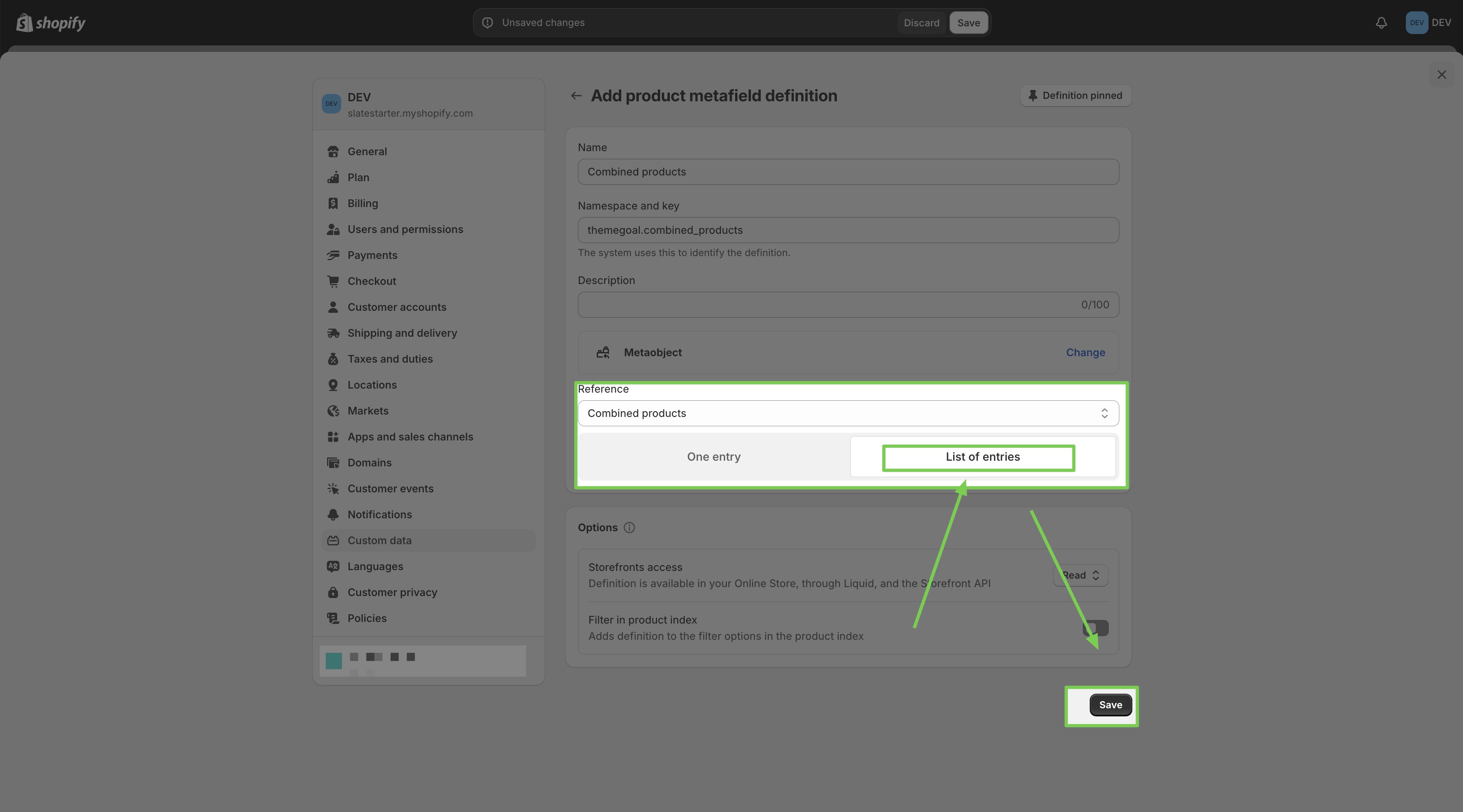
Namespce Key Type themegoal combined_products Metaobject/List of entries - Create metafield
- Edit products and set combined products
- Finished
1. Add Combined block
Section titled “1. Add Combined block”On the theme setting page, add the Combined products block to the product.
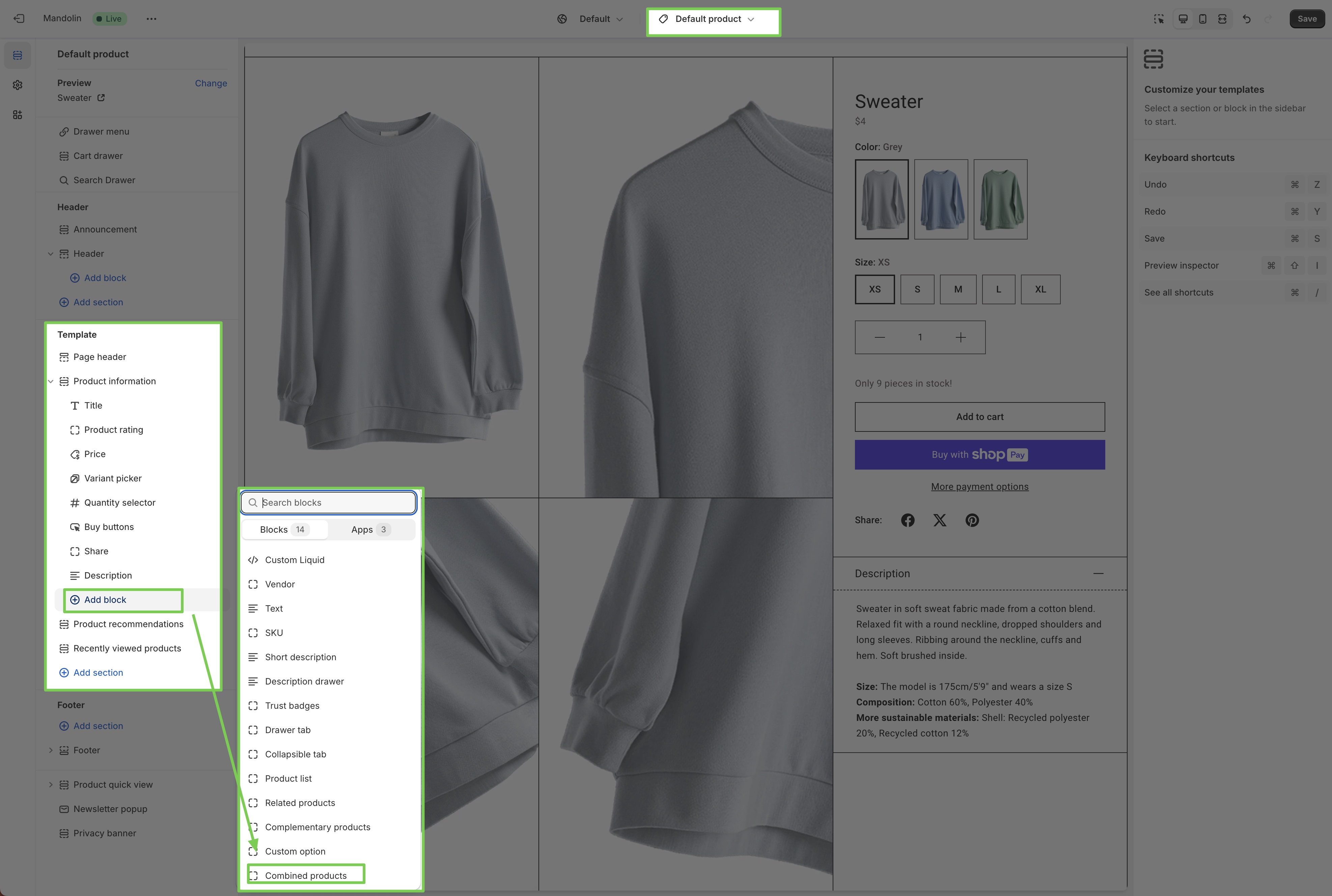
2. Define metaobject
Section titled “2. Define metaobject”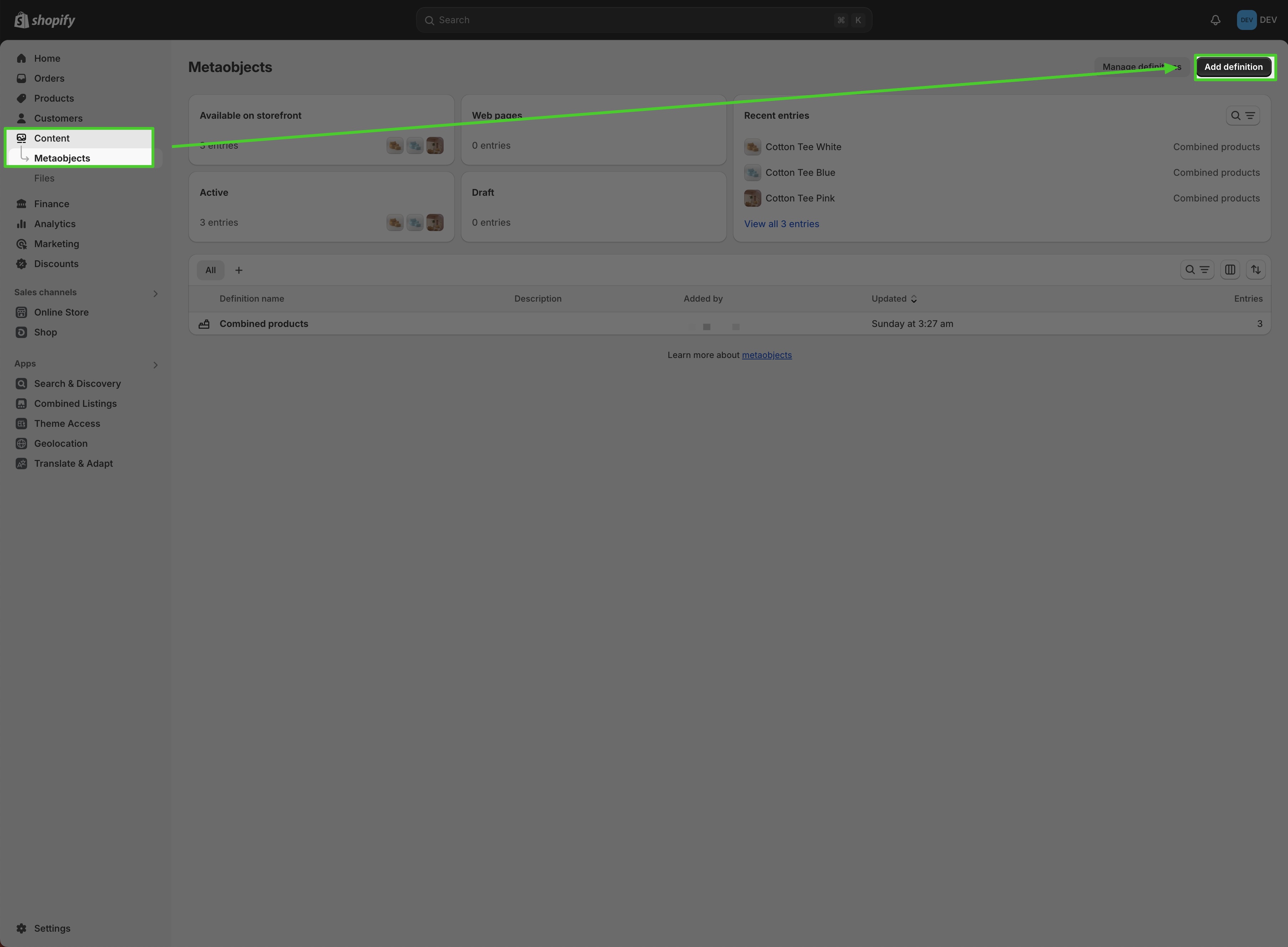
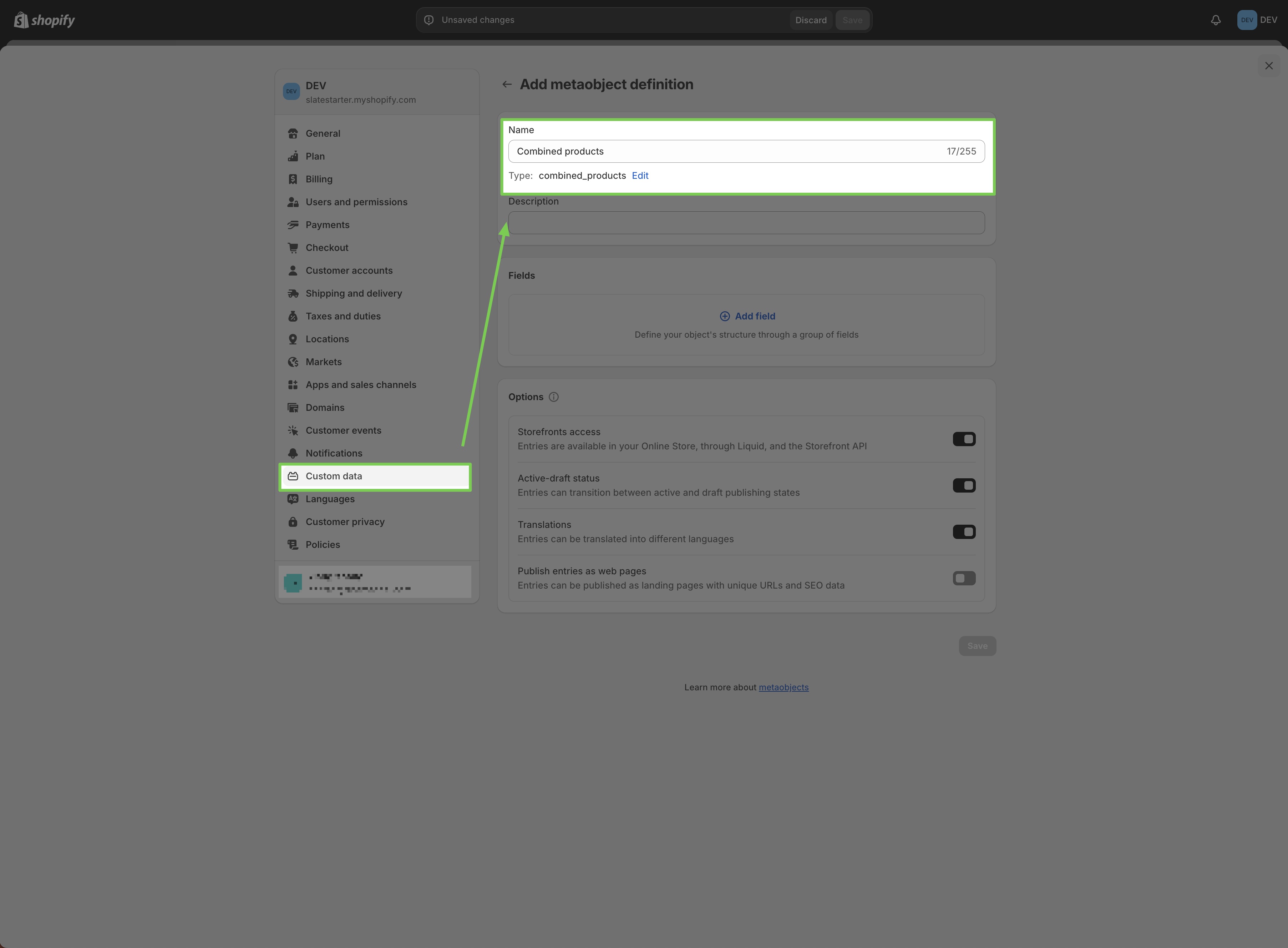
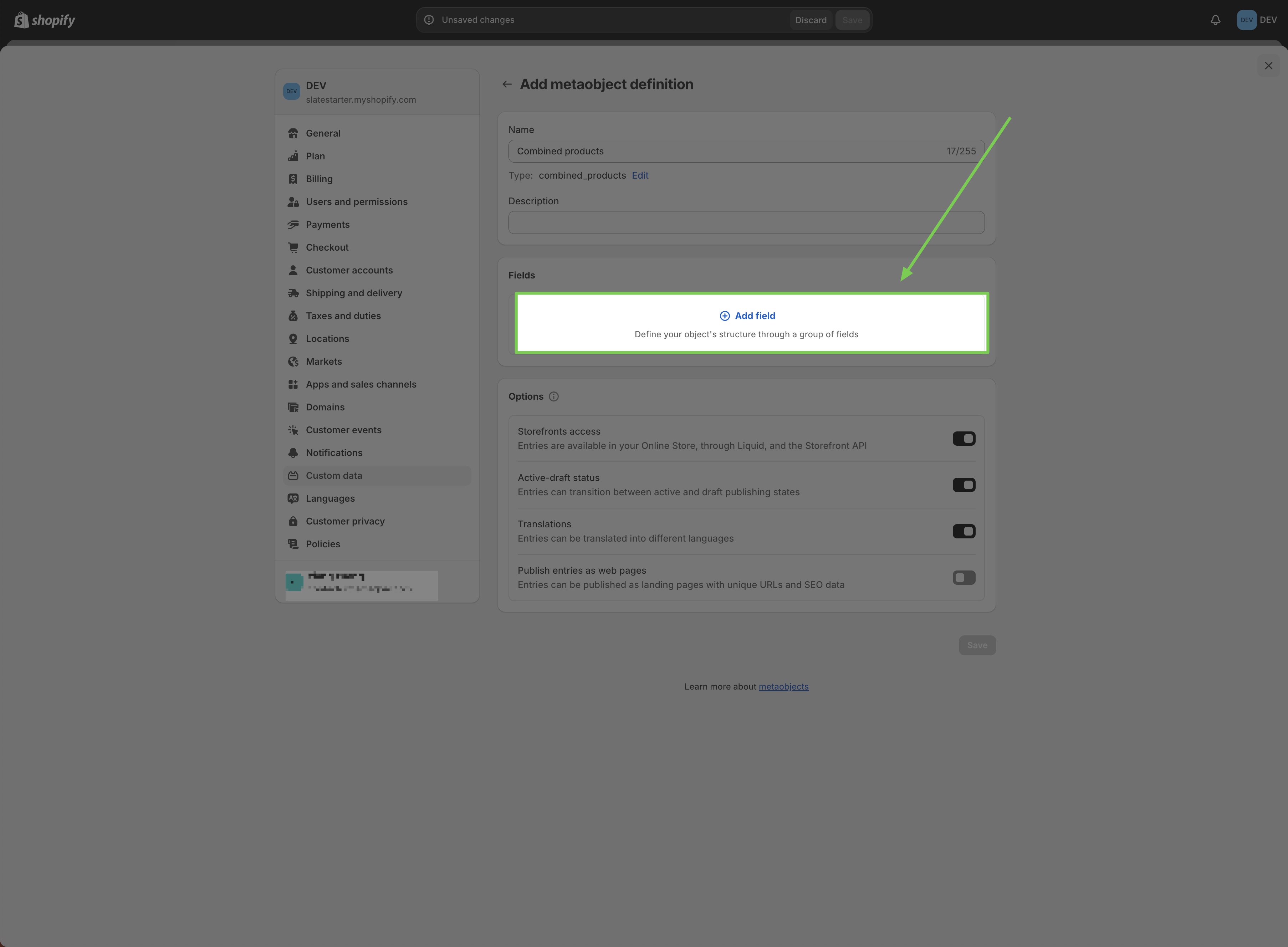
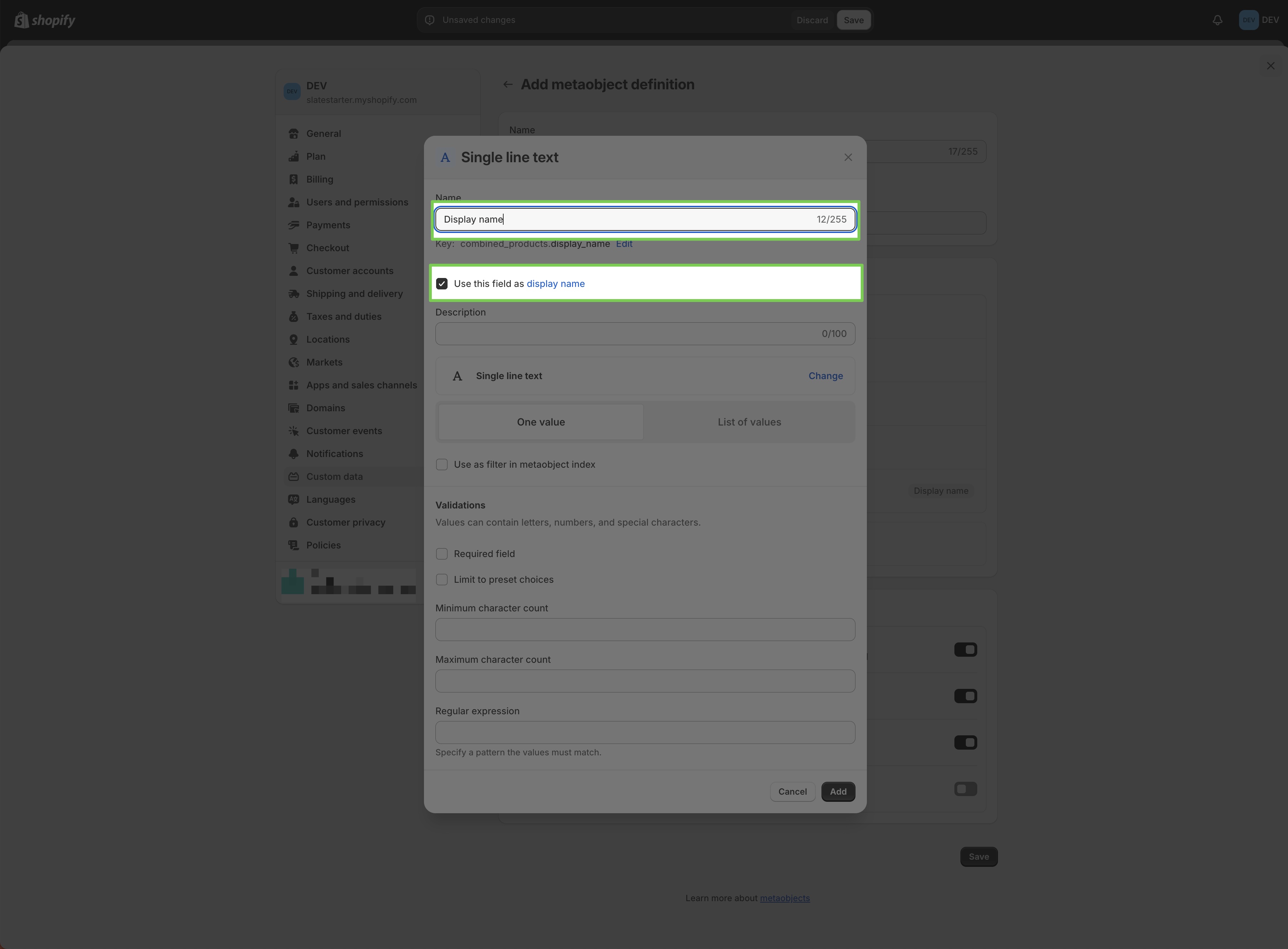
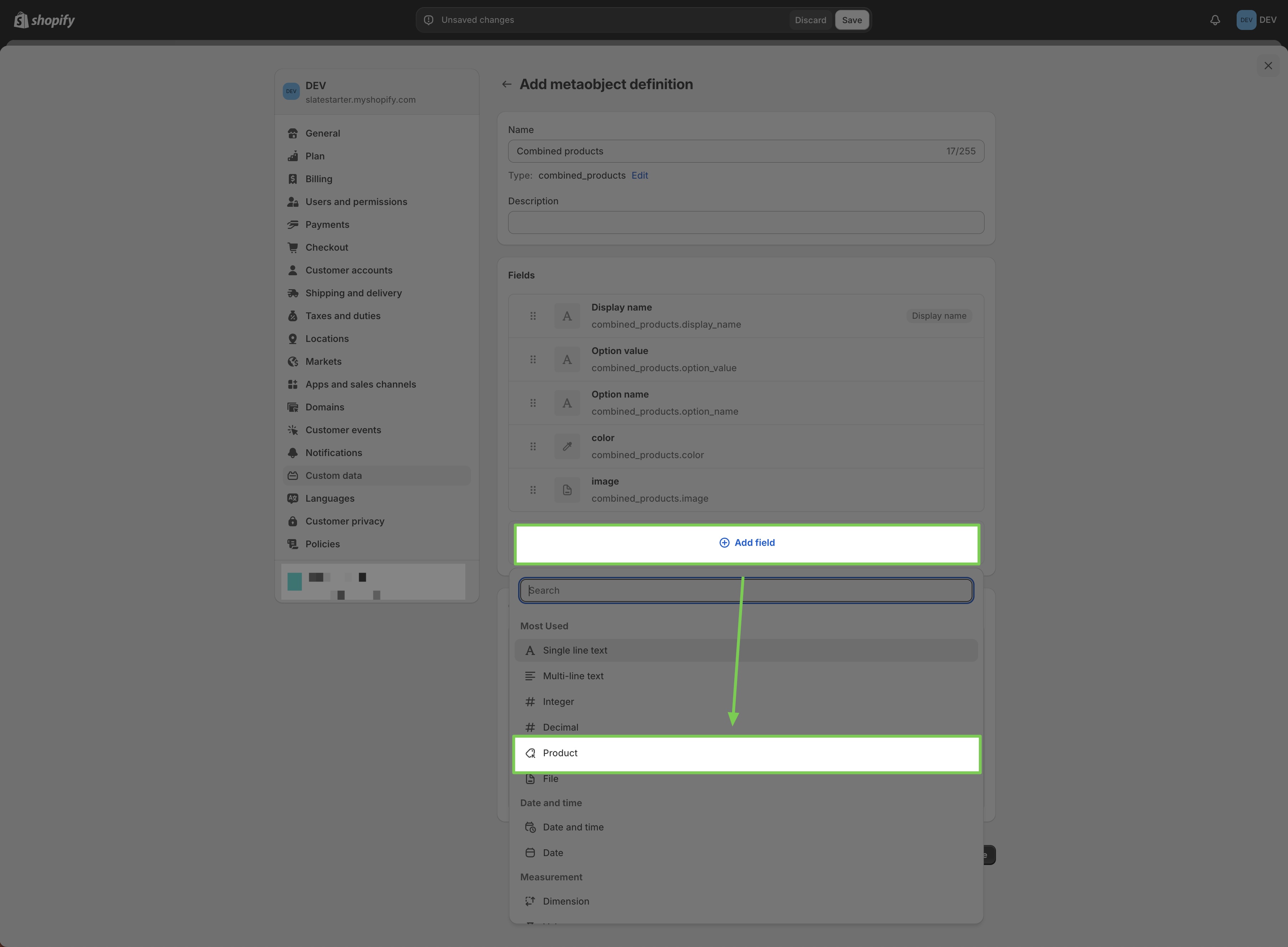
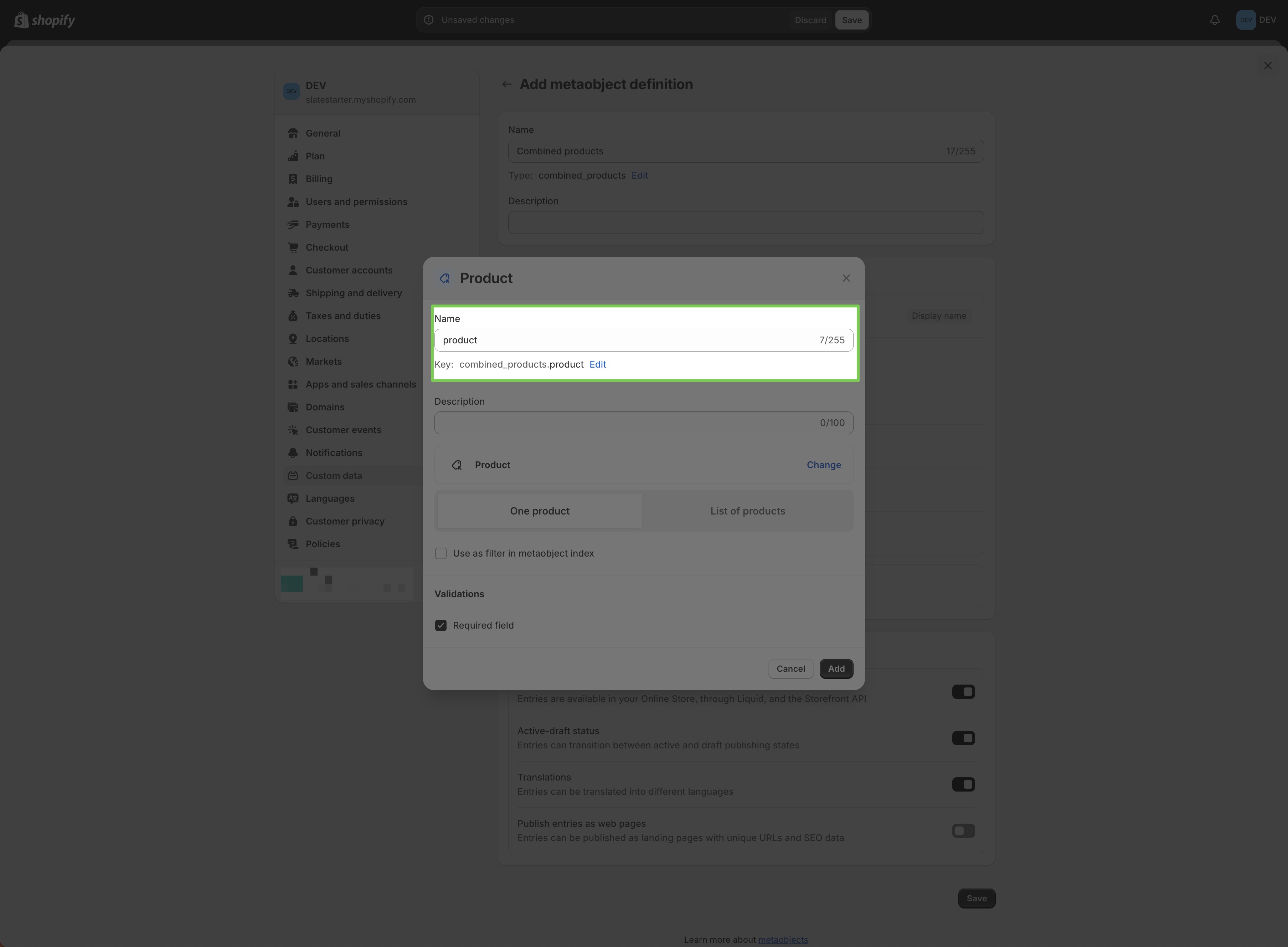
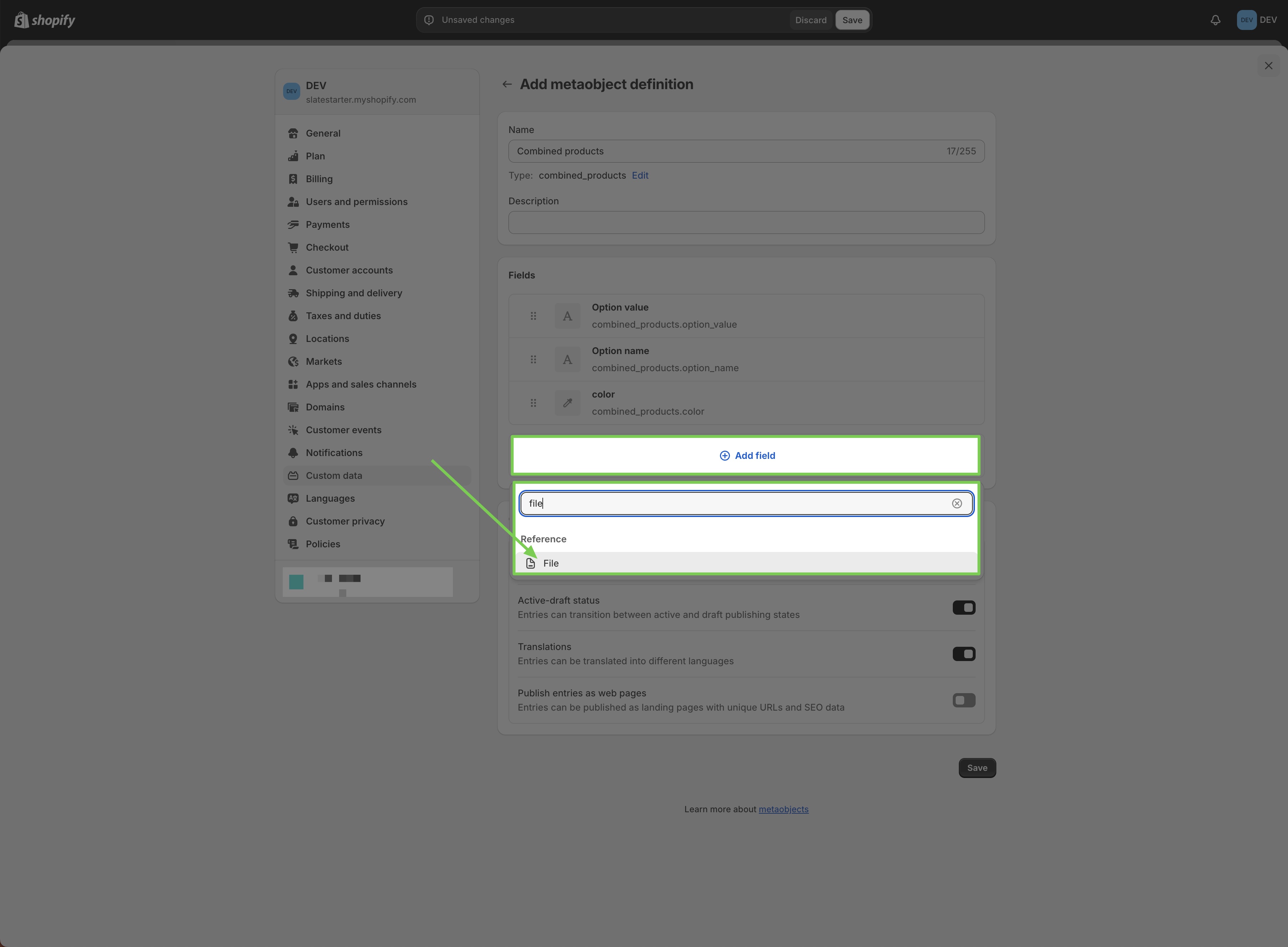
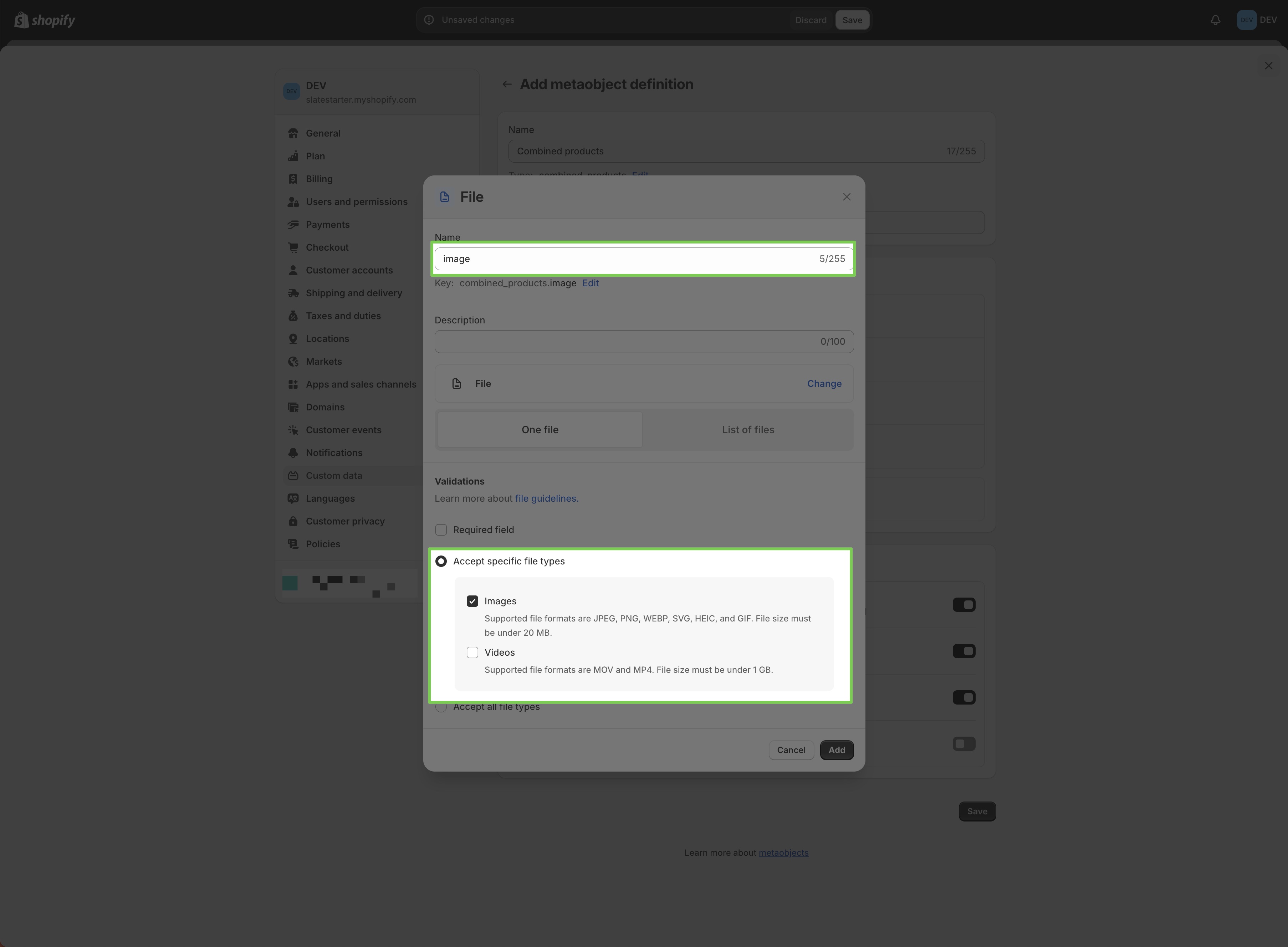
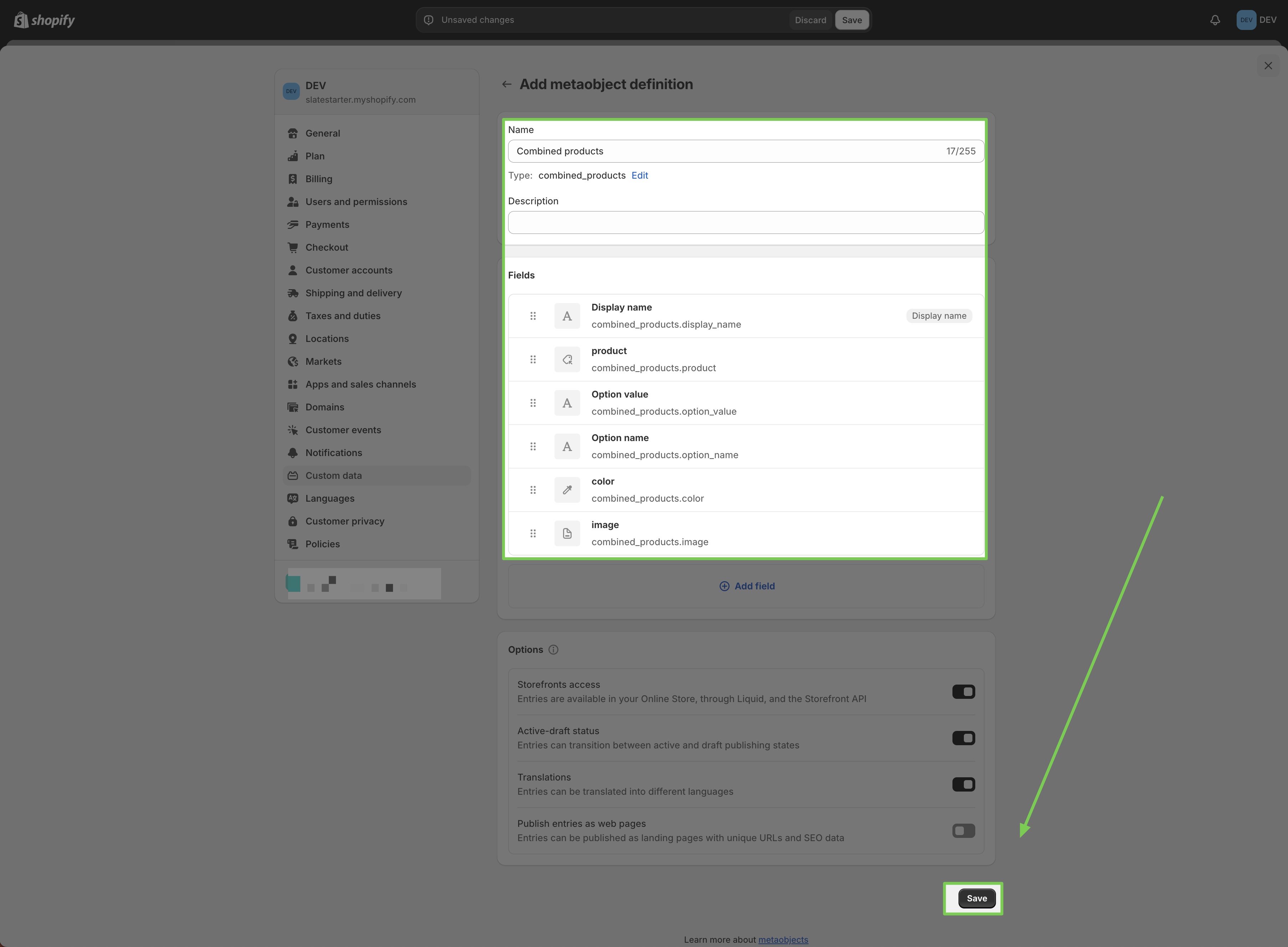
3.Create metaobject entries
Section titled “3.Create metaobject entries”
4.Create metafield
Section titled “4.Create metafield”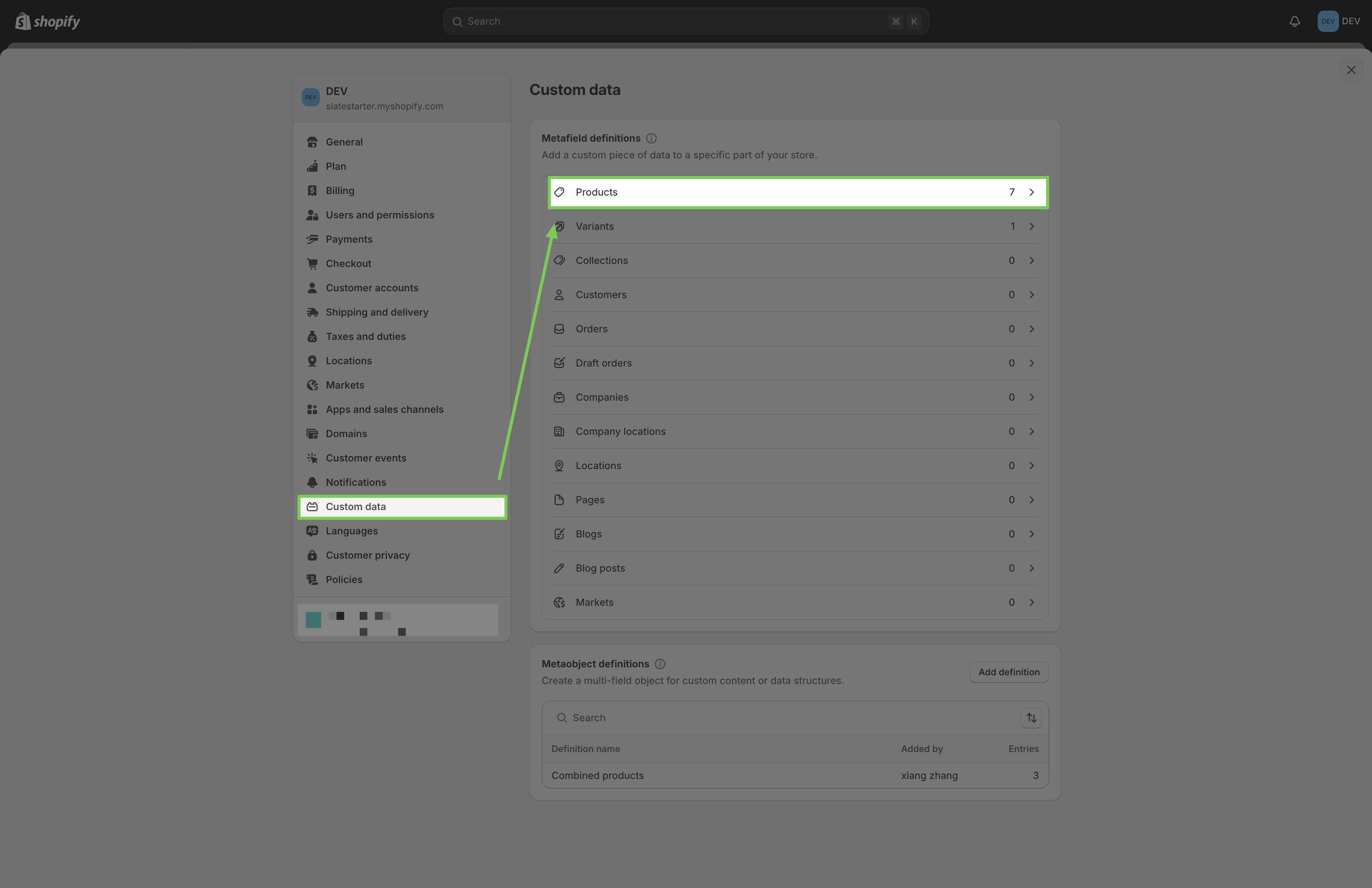
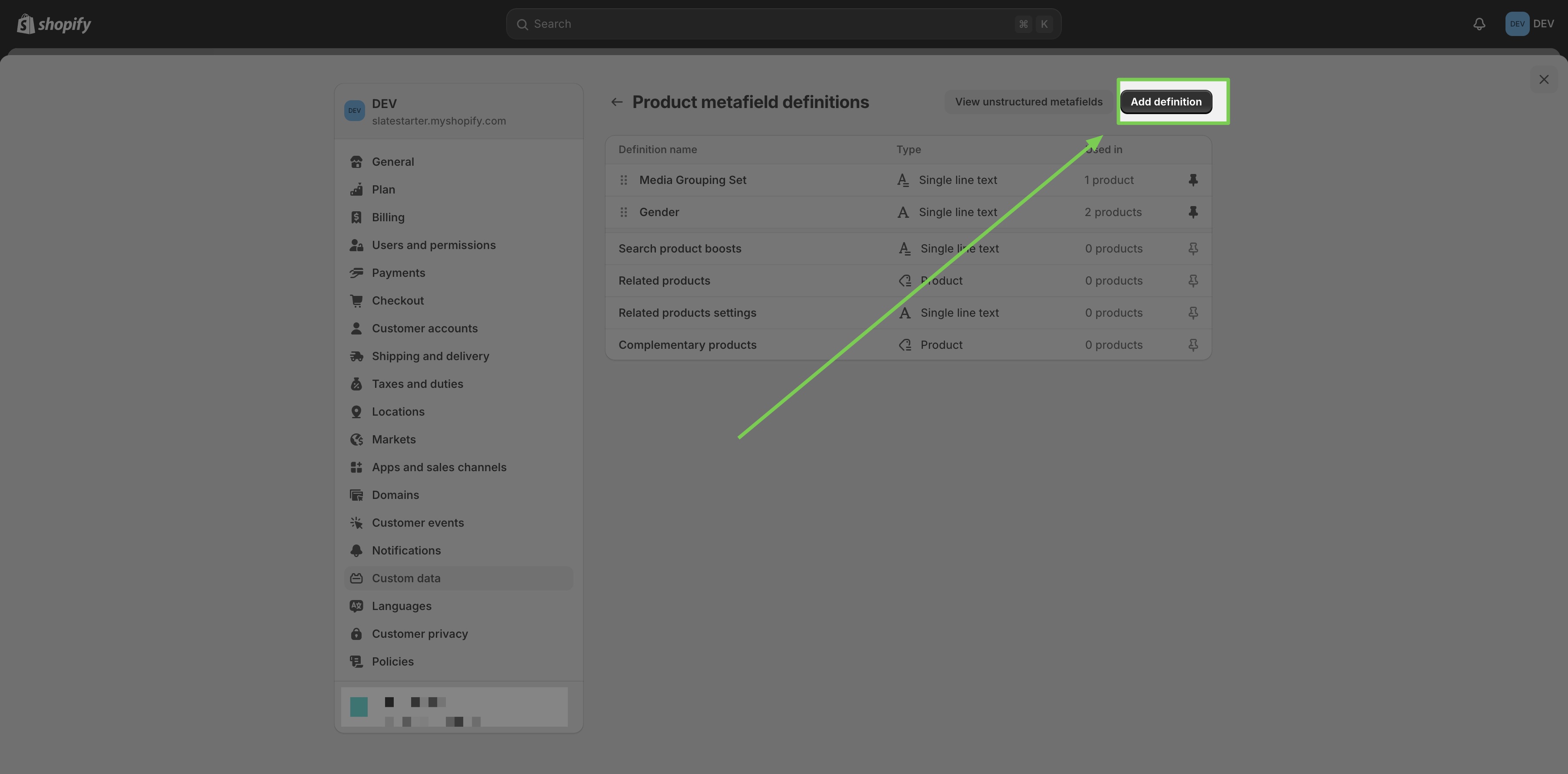
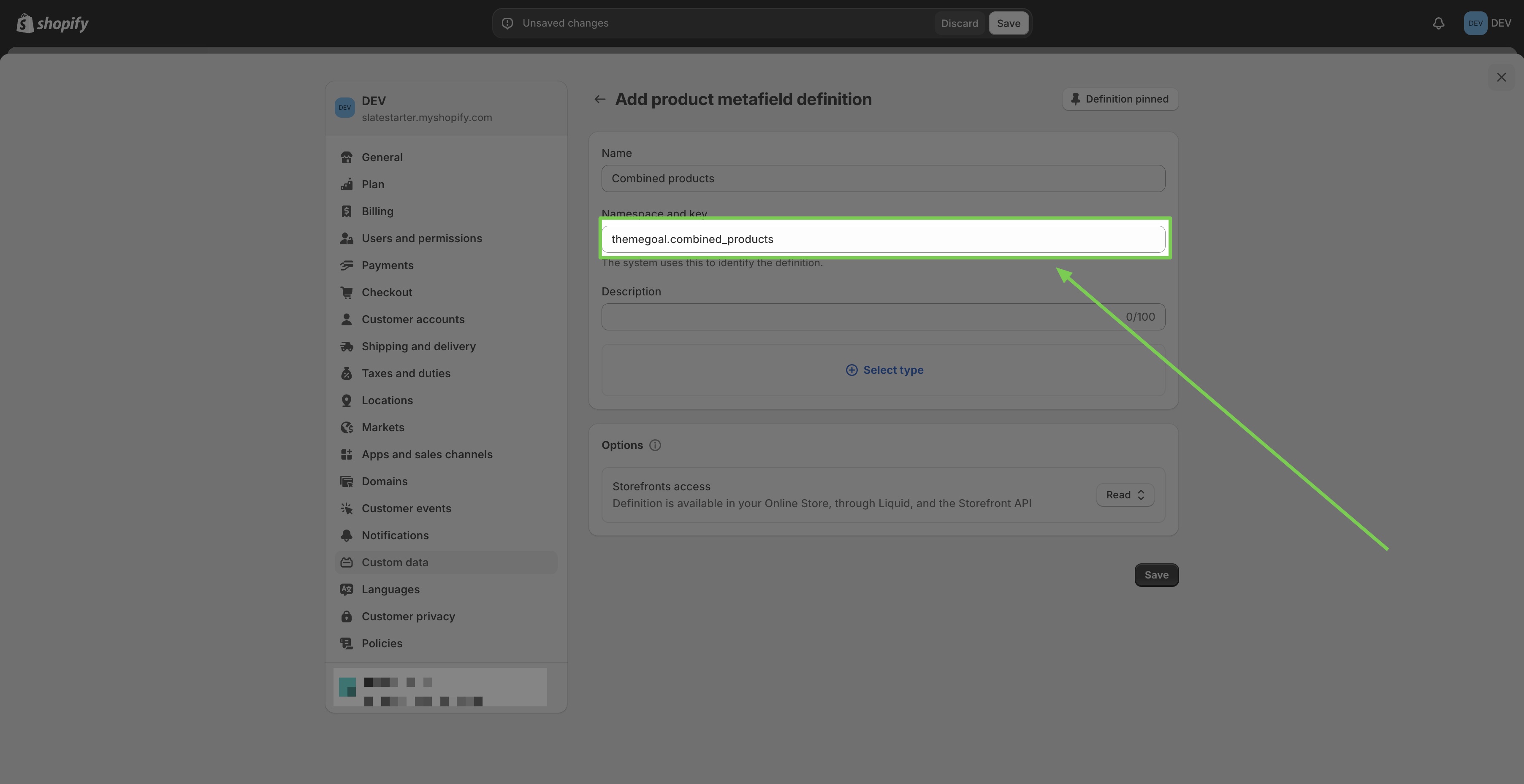
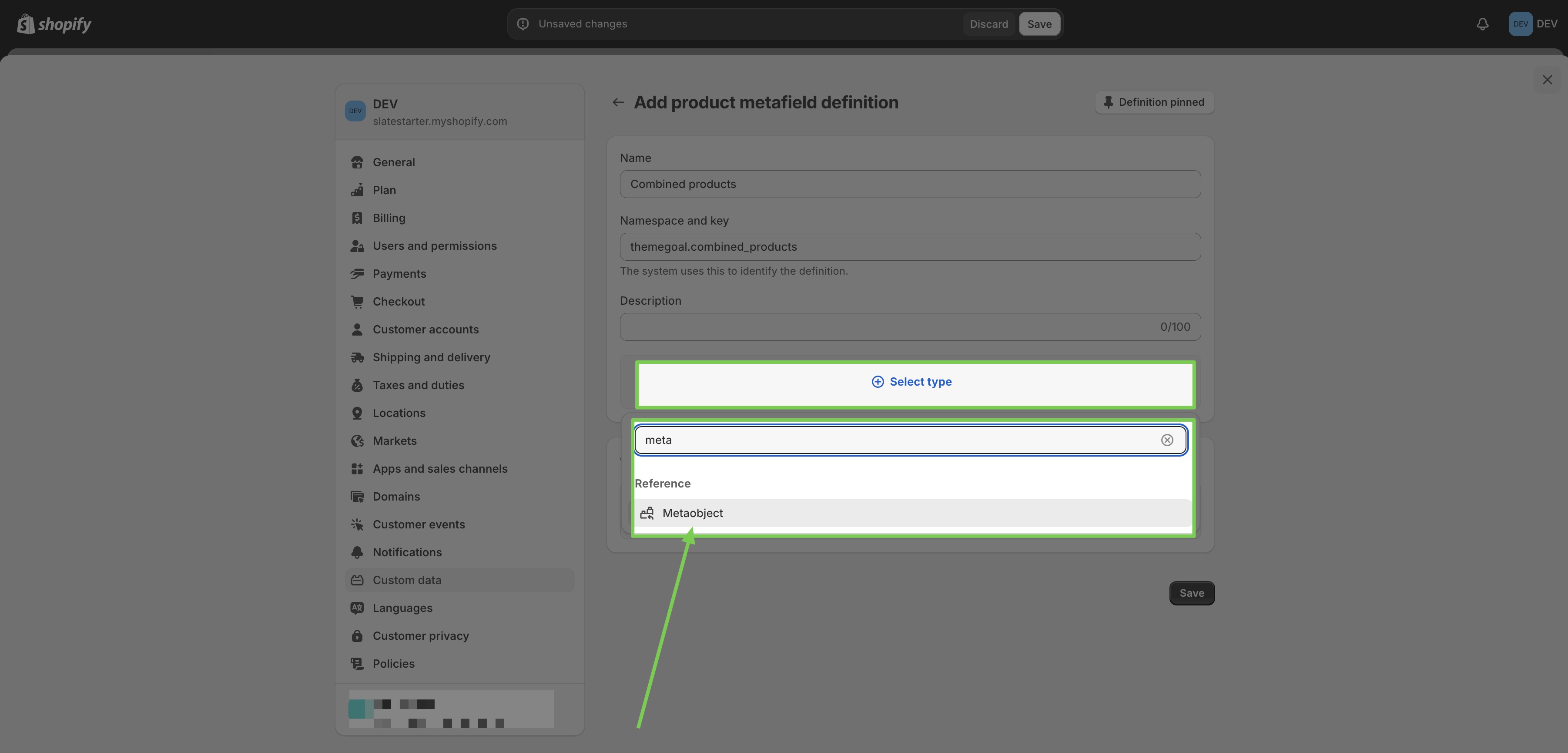
5.Edit products and set combined products
Section titled “5.Edit products and set combined products”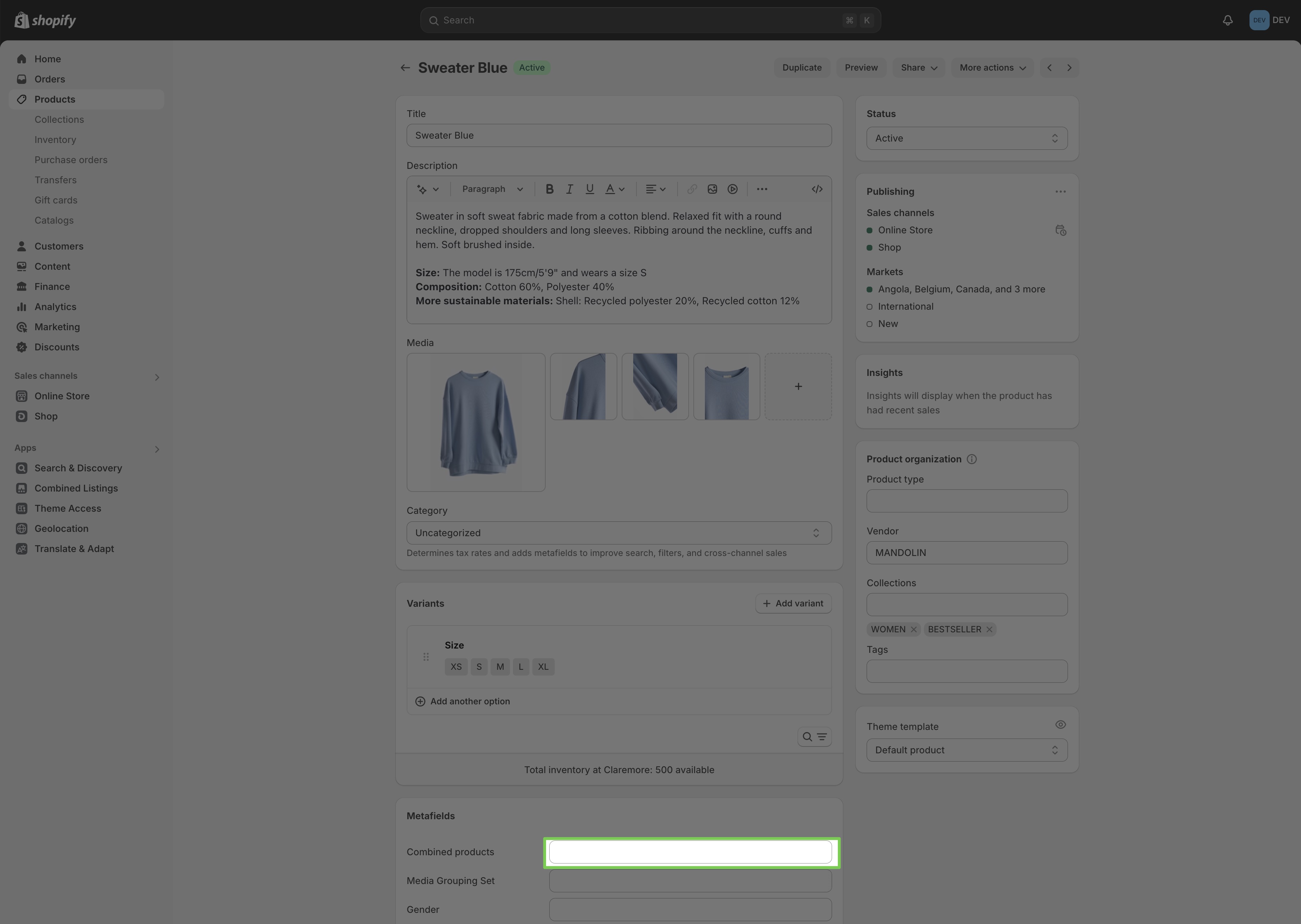
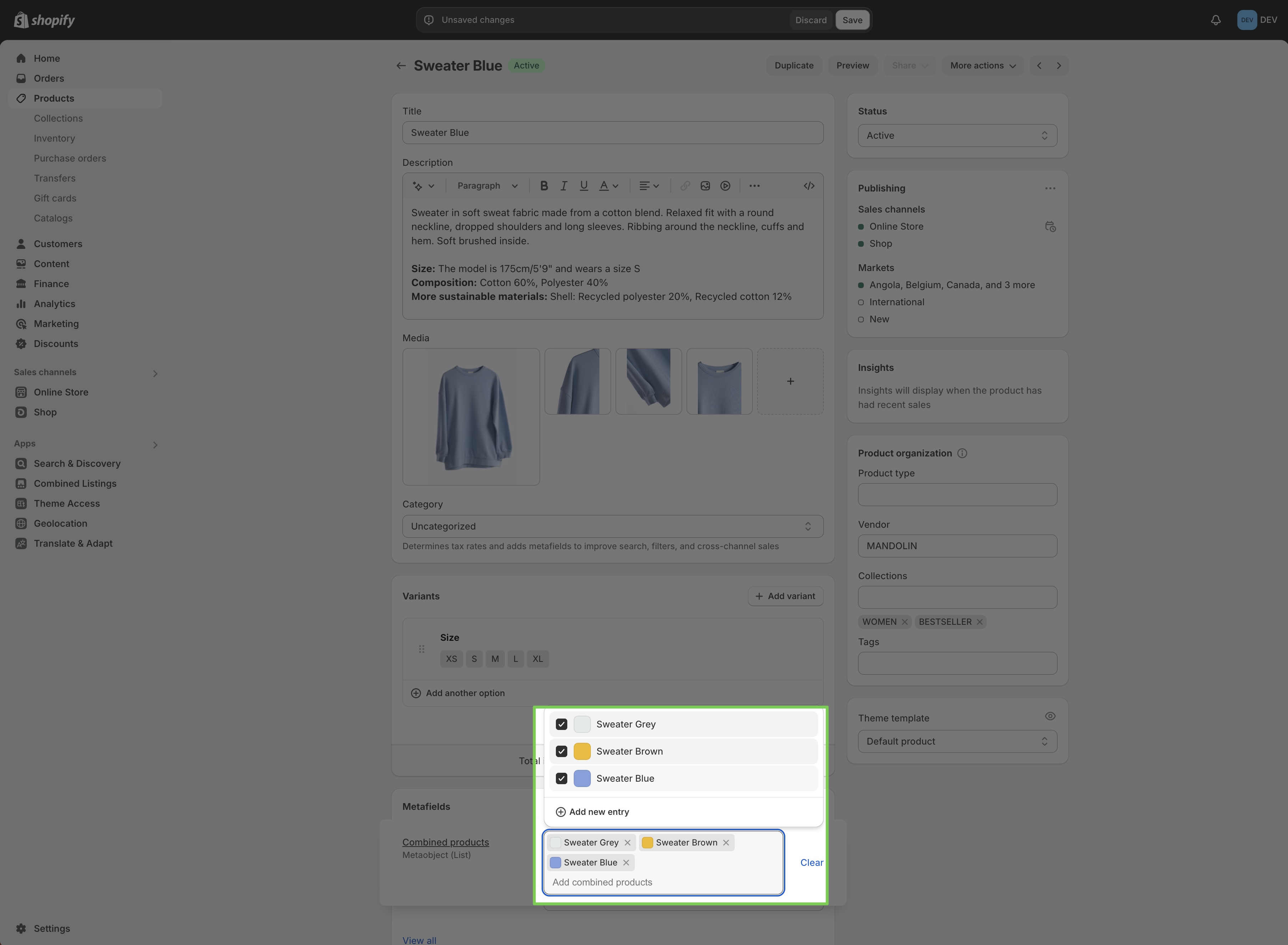
6.Finished
Section titled “6.Finished”