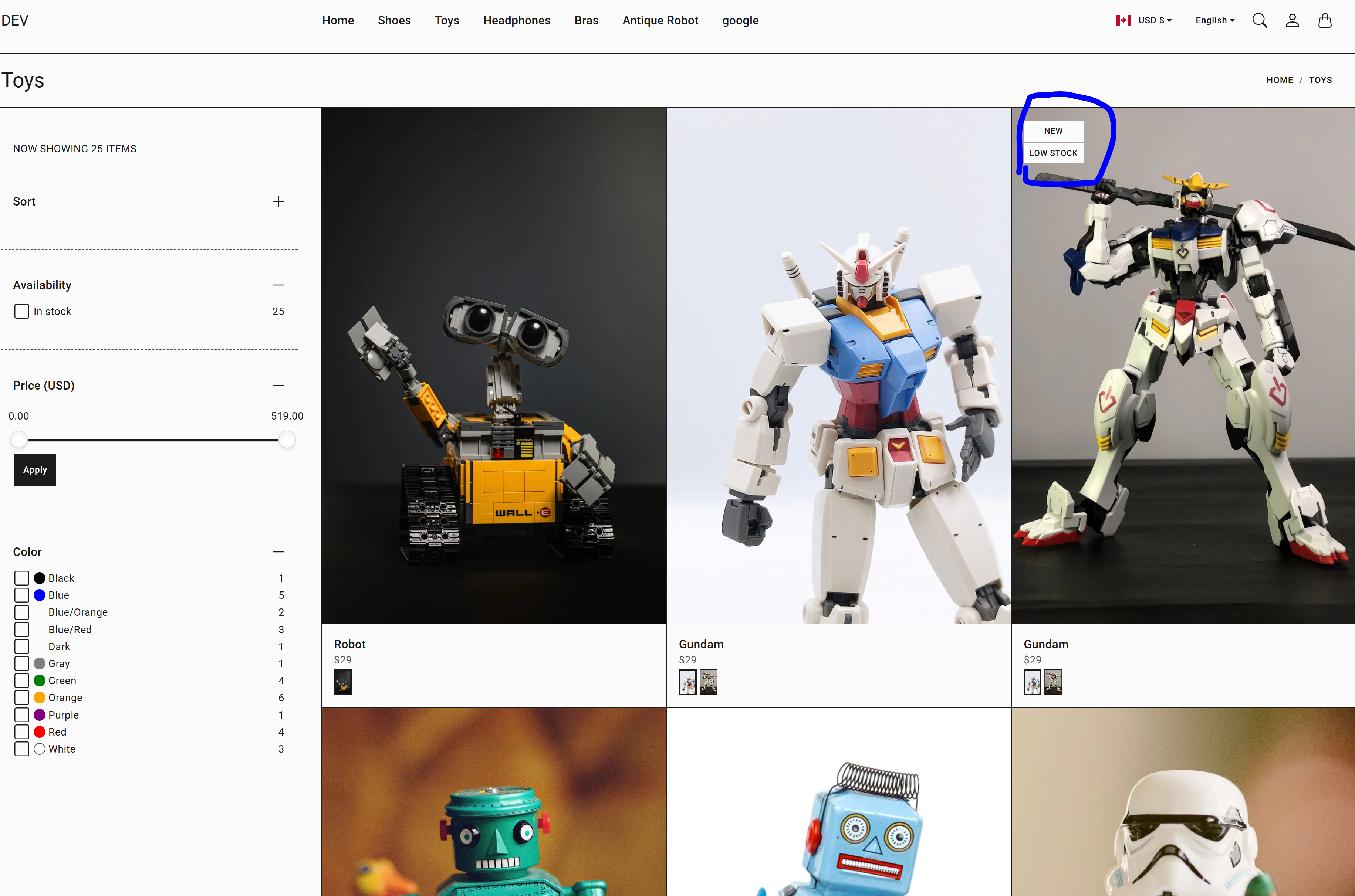
Displaying a custom badge / label on collections
By default, our themes will display the following labels on product cards:“On sale” or “Sold out”.
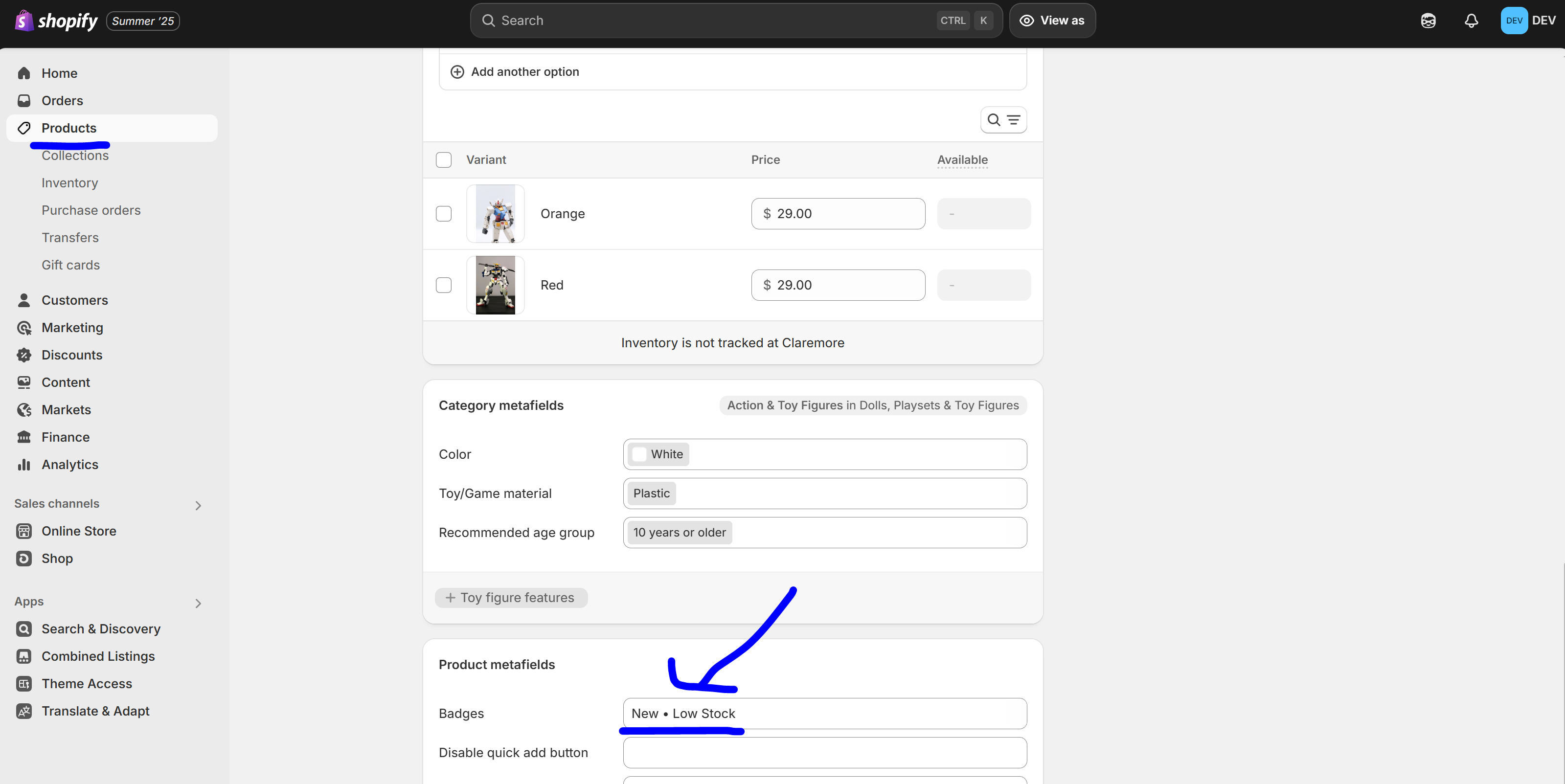
With metafields, you can display custom badges on product cards such as “New”, “Coming Soon”, or “Best Price”.
-
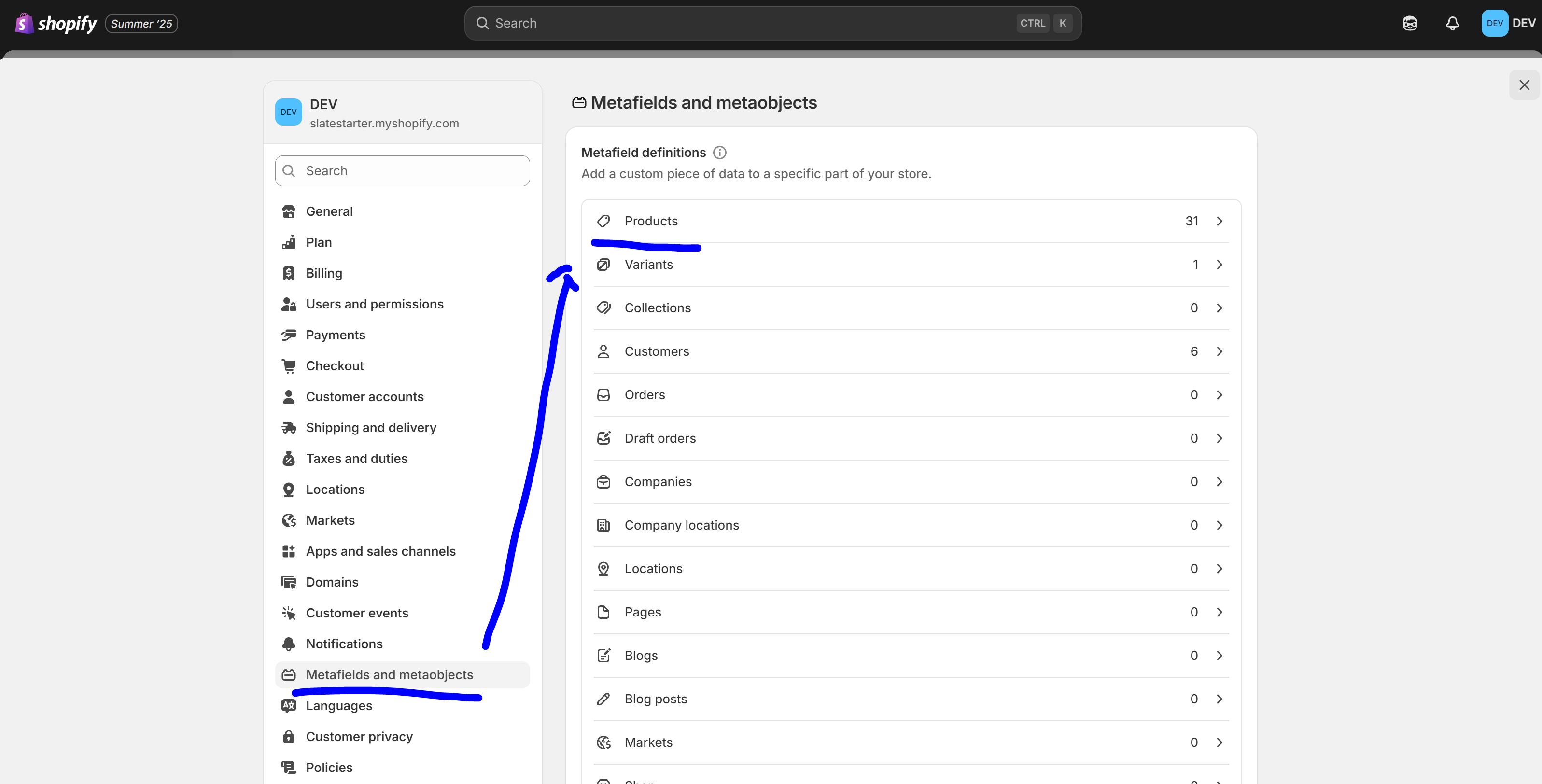
To add custom badges, open the metafields section in Shopify admin or click this link.
-
Click on “Products” to add a new product metafield definition:
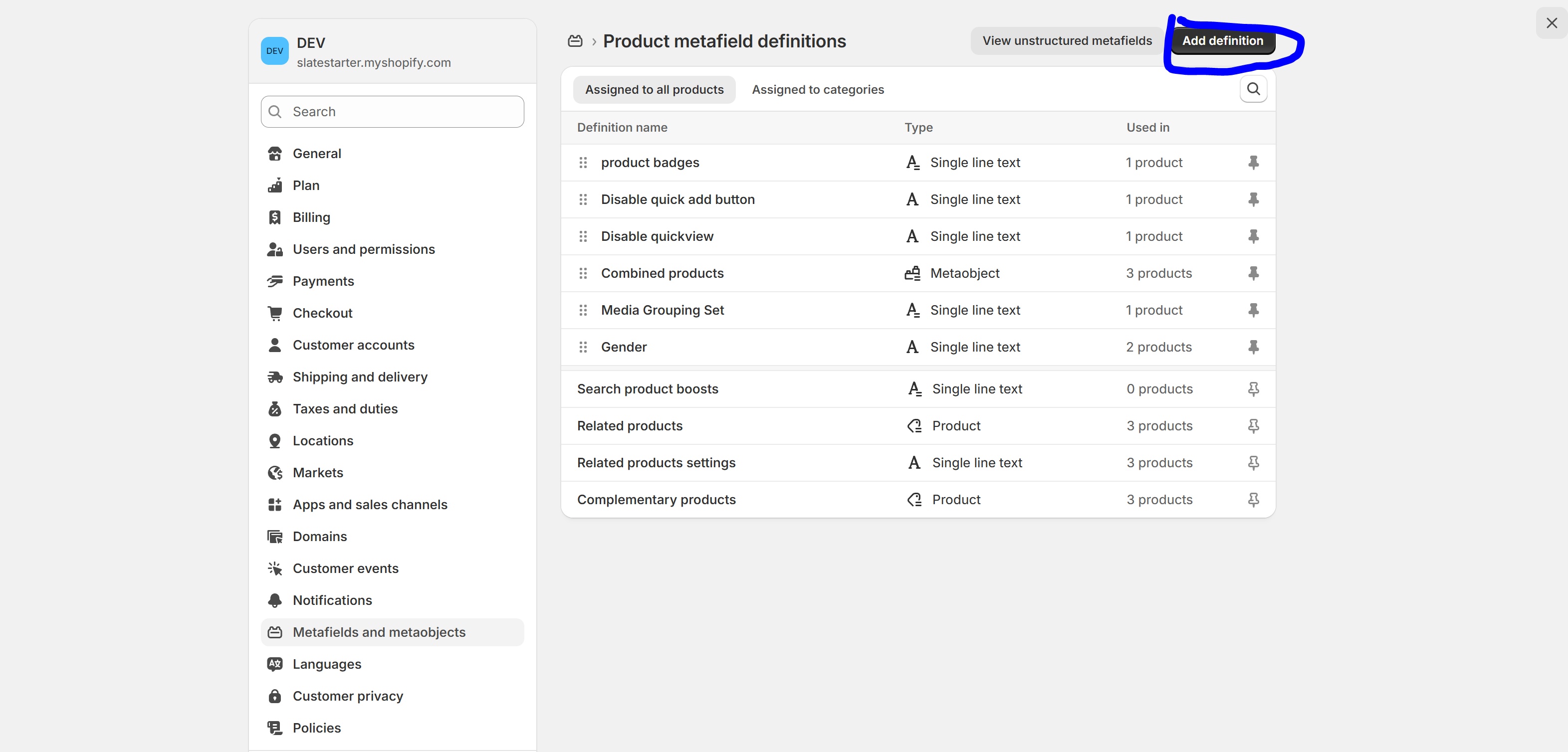
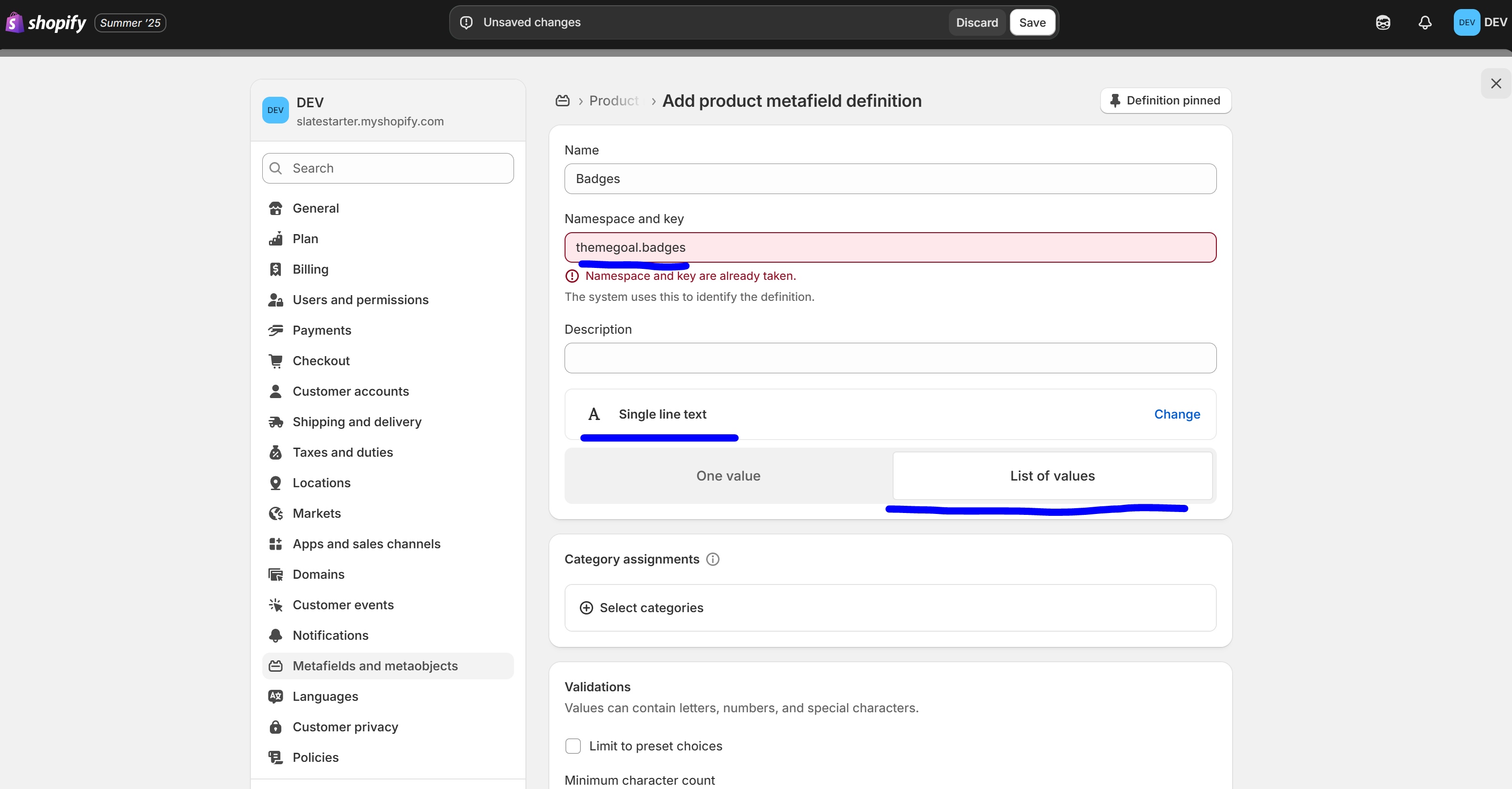
- Click on “Add definition.” For the “Name,” enter “Badges,” and make sure that the “Namespace and key” is set to themegoal.badges (this is important). For the metafield type, select “Single-line text” and select “List of values” (which allows you to enter more than one custom badge per product).
Once configured, it should look like that:
Mandolin theme: