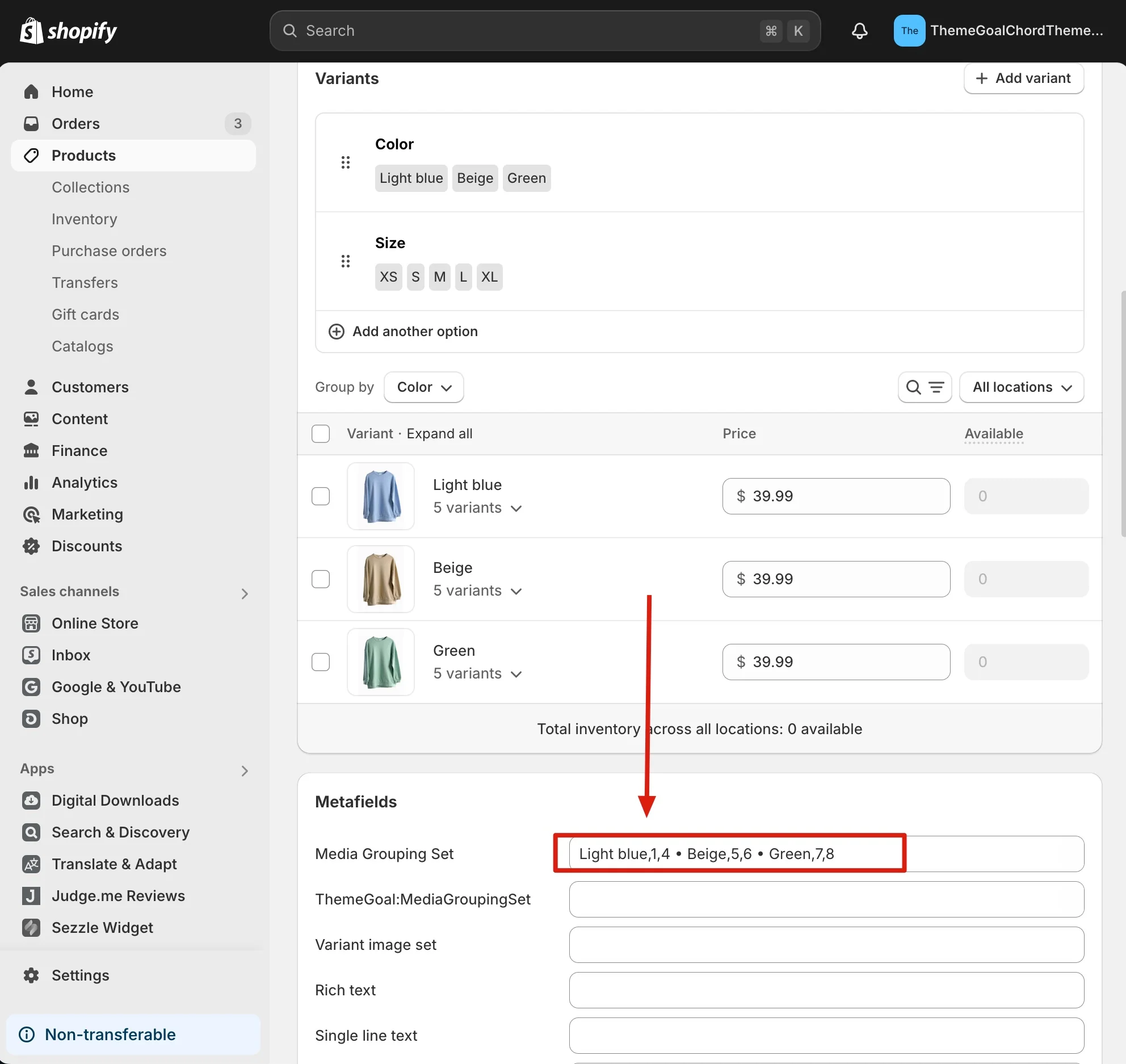
Product media grouping
Media Grouping is a way to display only the images/media assets associated with a particular product variant.
Media grouping only works with the first option.
For example, when a customer clicks on the ‘Black’ T-Shirt variant, only the images of the Black T-Shirt are shown. This aims to improve the overall customer experience on your store.
Setting up media grouping
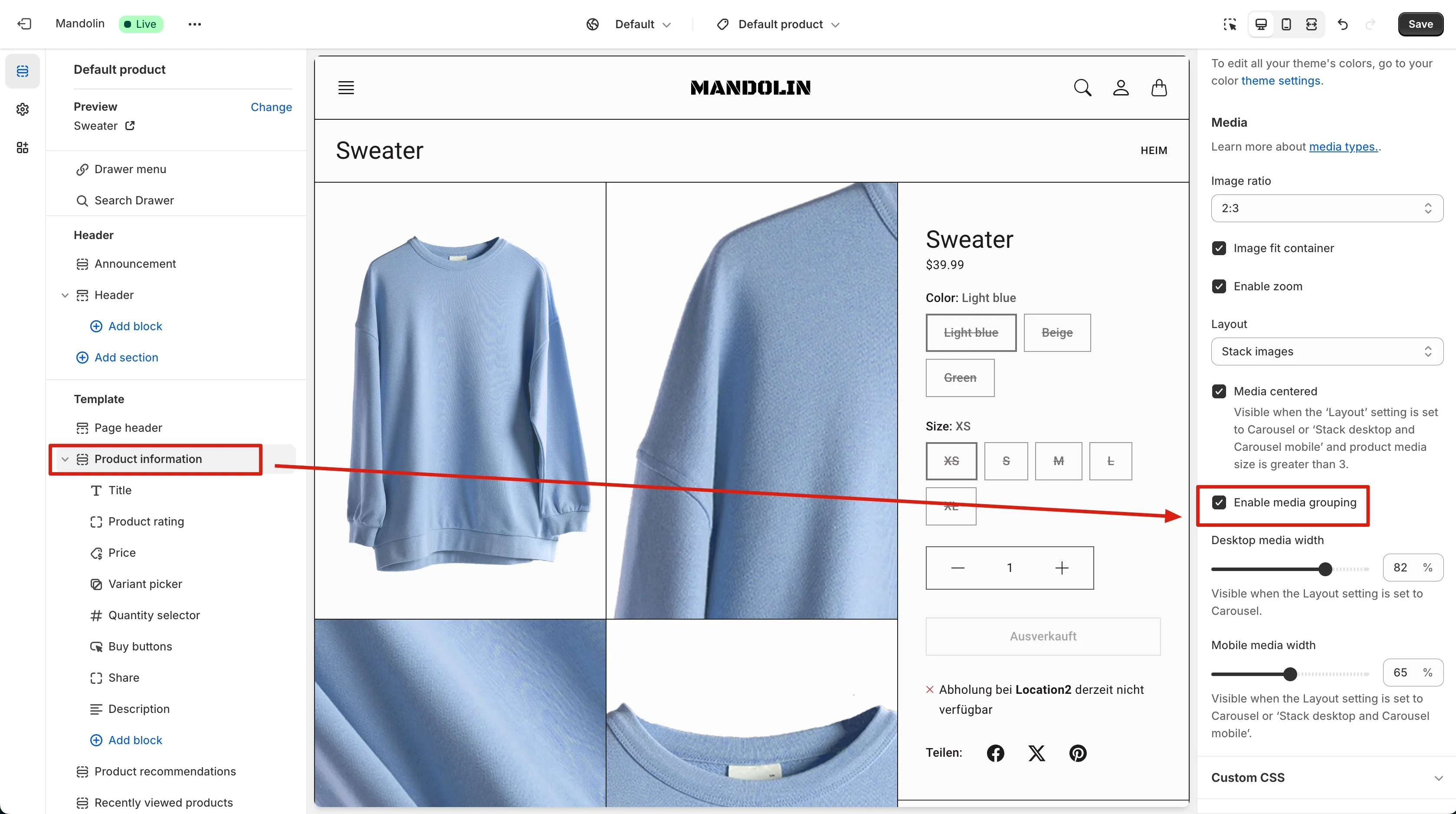
Section titled “Setting up media grouping”Check “Enable media grouping” in the products section of the theme editor.
Setting up product images
Section titled “Setting up product images”The previous steps enables this feature, however for it to work fully, you’ll need to arrange your product images in the correct order within the Shopify admin area.
In the Shopify admin area, navigate to Products and pick a product.
Ensure that the images are ordered with all the same colors grouped together, as shown on the left hand side of the screenshot below: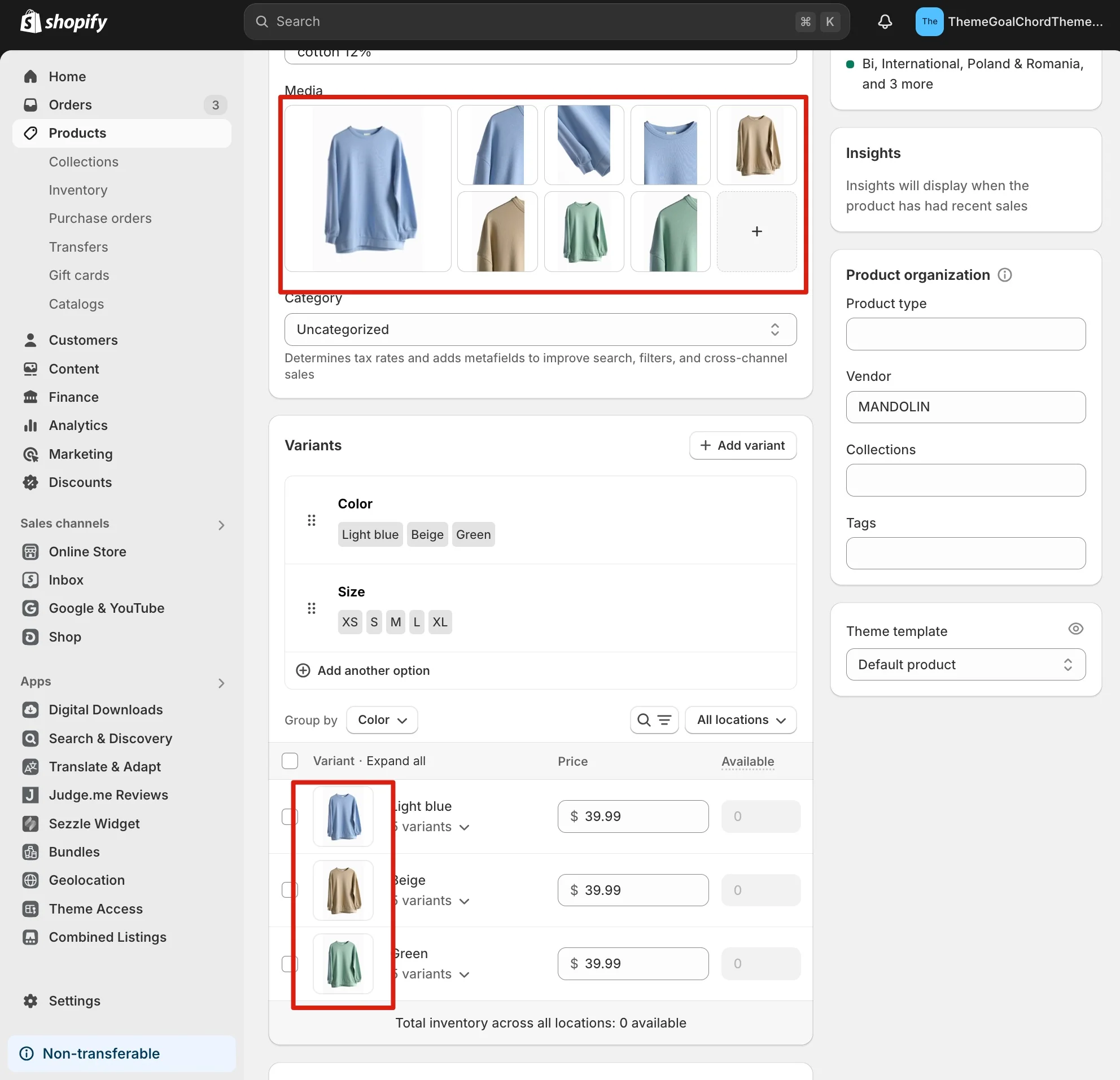
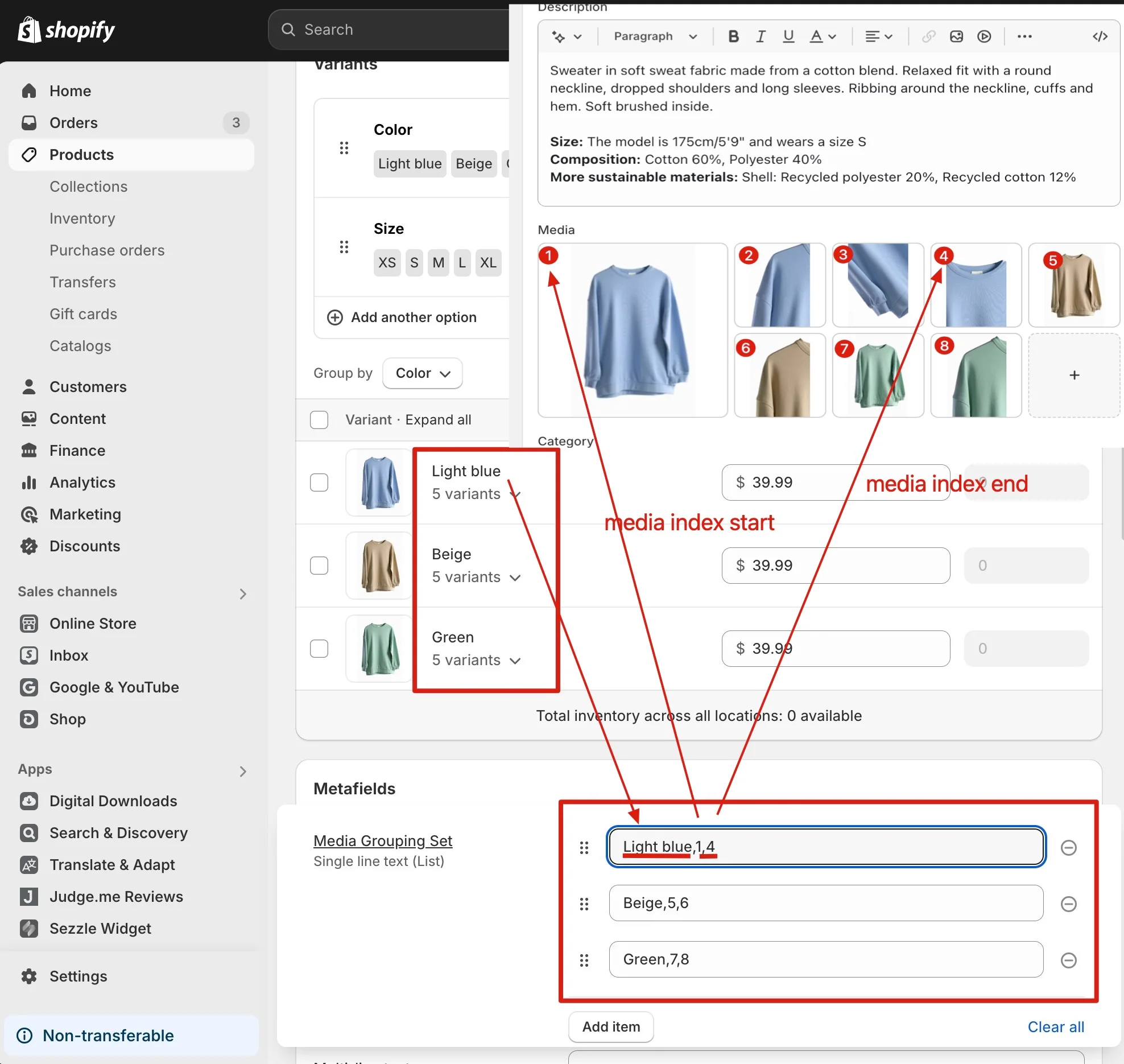
Add product metafield definition(themegoal.media_grouping_set)
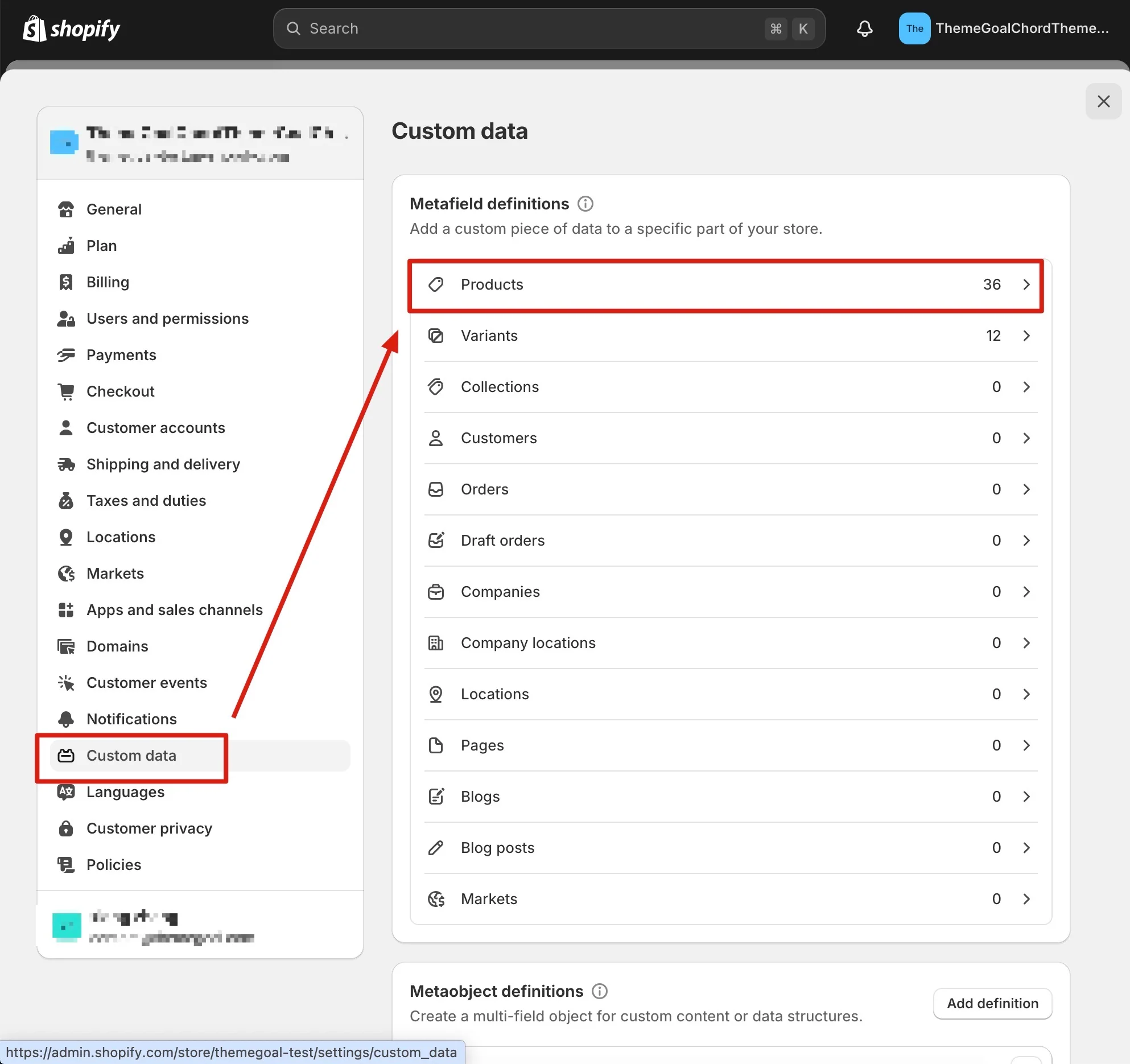
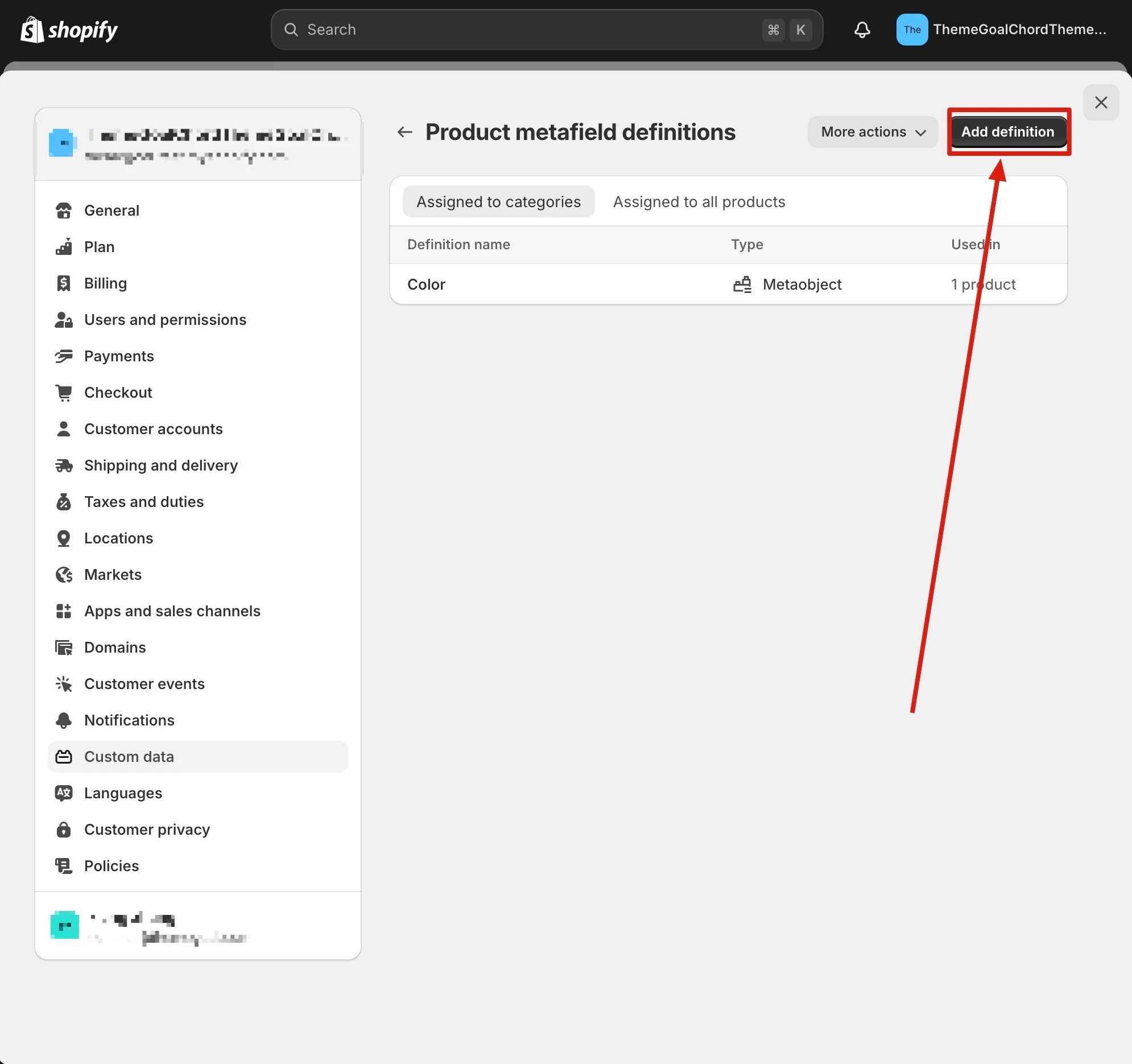
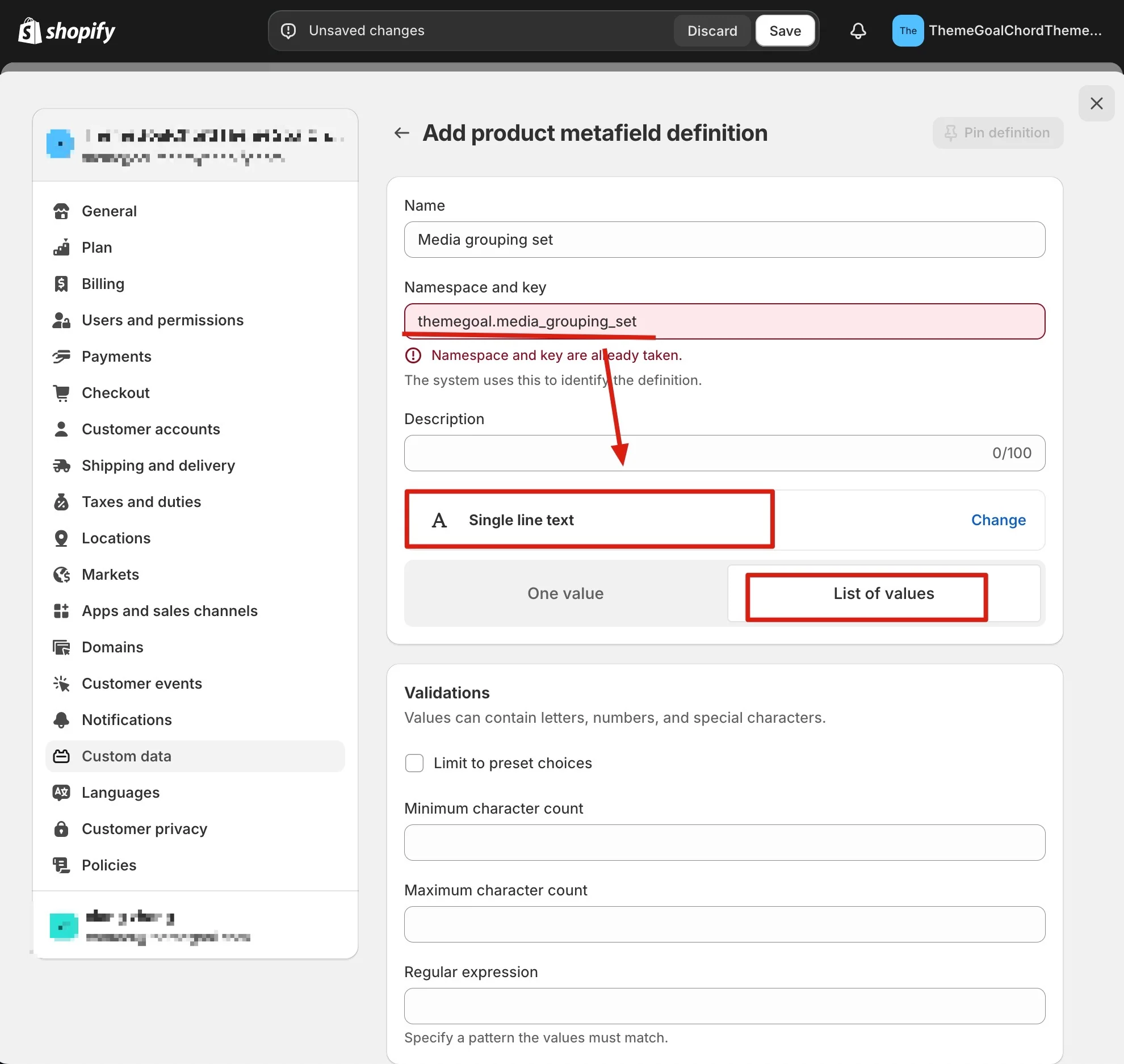
Add product media grouping information.