

Testimonials
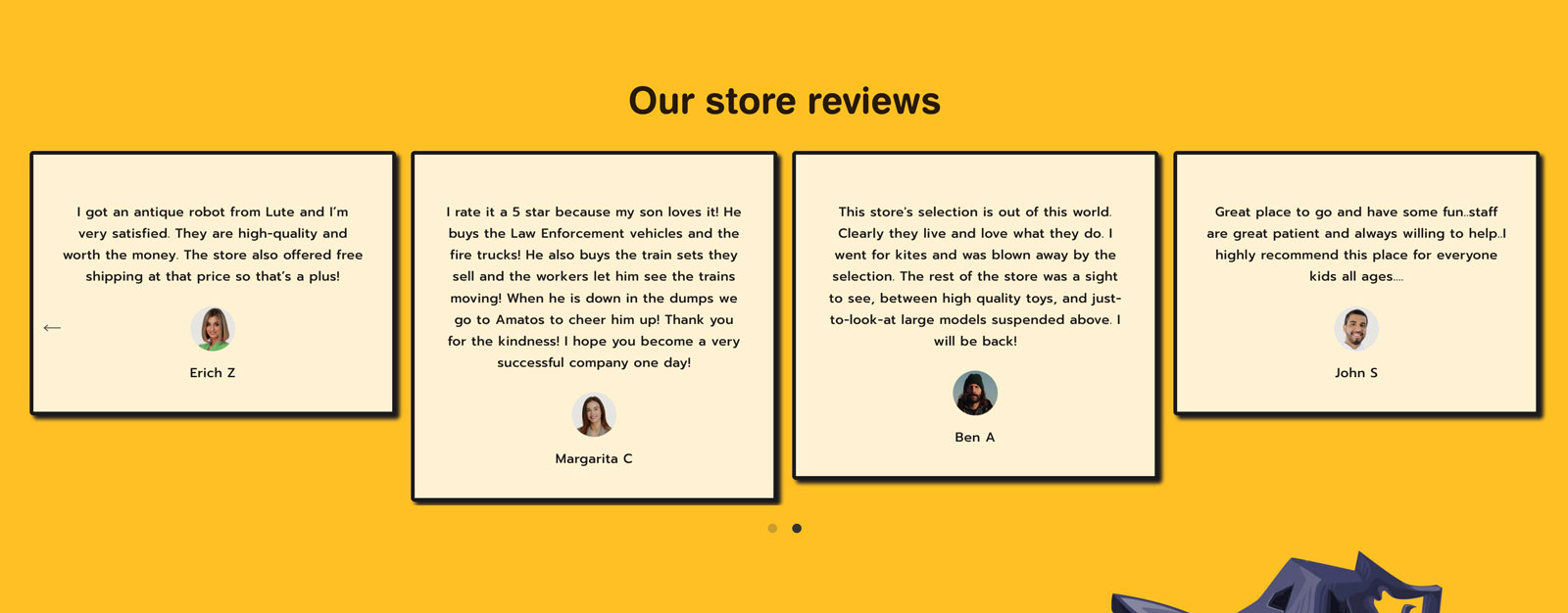
Overview
Section titled “Overview”Testimonial is the perfect way to develop your customer’s loyalty to your website.
Section settings
Section titled “Section settings”| Setting | Description |
|---|---|
| Section width | Set the width of the section using the drop-down menu:
|
| Show top outline | Displays the top outline of the section. |
| Show bottom outline | Displays the bottom outline of the section. |
| Color scheme | Set the color scheme of the section using the drop-down menu:
|
| Background color | Set the background of the section,visible when the Color scheme setting is set to Custom. |
| Text color | Set the text of the section,visible when the Color scheme setting is set to Custom. |
| SECTION HEADER | |
| Heading | The heading of the section. |
| Header alignment | Choose the alignment of the section heading. Options are Left and Center. |
| Heading size | Set the height of heading using the drop-down menu:
|
| CAROUSEL | |
| Number of testimonials per row | Number of testimonials to display on desktop computers. Minimum: 1. Maximum: 4. |
| Auto-rotate testimonials | Check this box to automatically rotate through the images in the slideshow. If this box is not checked, then the testimonials displays a static image until the customer manually advances the slideshow. |
| Change testimonials every | Use the bar to set the auto-rotate time of the testimonials. Minimum: 3 seconds, maximum: 16 seconds. |
| CARD | |
| Card alignment | Choose the alignment of the card. Options are left(default), center and Right. |
| Enable avatar top | Checked the checkbox to make the avatar above the content. |
| Show card border | Checked the checkbox to show card border. Visible when the Card alignment setting is set to Left or Right. |
| Name color | The color for commenter name. |
| Job color | The color for commenter job. |
| Content color | The color for commenter content. |
| Content background color | The color for commenter content background |
| SECTION SPACING ADJUSTMENT | Visible on desktop view and 'Section width' is Grid. You can set global vertical space in 'Theme settings - Layout - Vertical space between sections'. |
| Top | Set the top spacing of the section. |
| Bottom | Set the bottom spacing of the section. |
Testimonial block
Section titled “Testimonial block”| Setting | Description |
|---|---|
| Avatar | Choose a certain image for your testimonial avatar. |
| Edit alt text | Click to set image alt text for search engine optimization and to describe the image for customers using screen readers. |
| Content | The comment of your testimonial. |
| Name | The commenter Name |
| Job | The commenter job |