

Product quick view
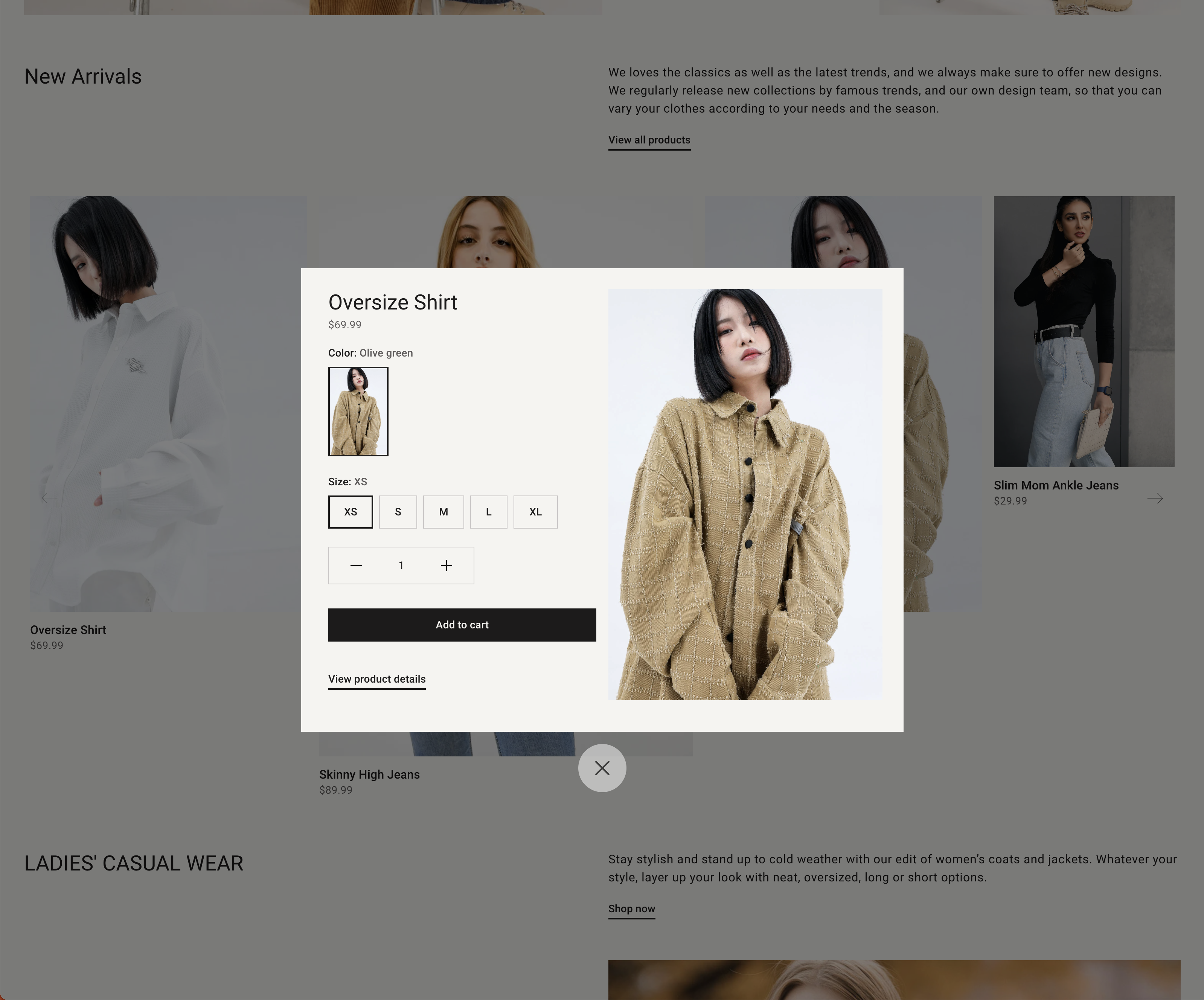
Overview
Section titled “Overview”View product details in a popup without leaving the current page.
Enable product quick view
Section titled “Enable product quick view”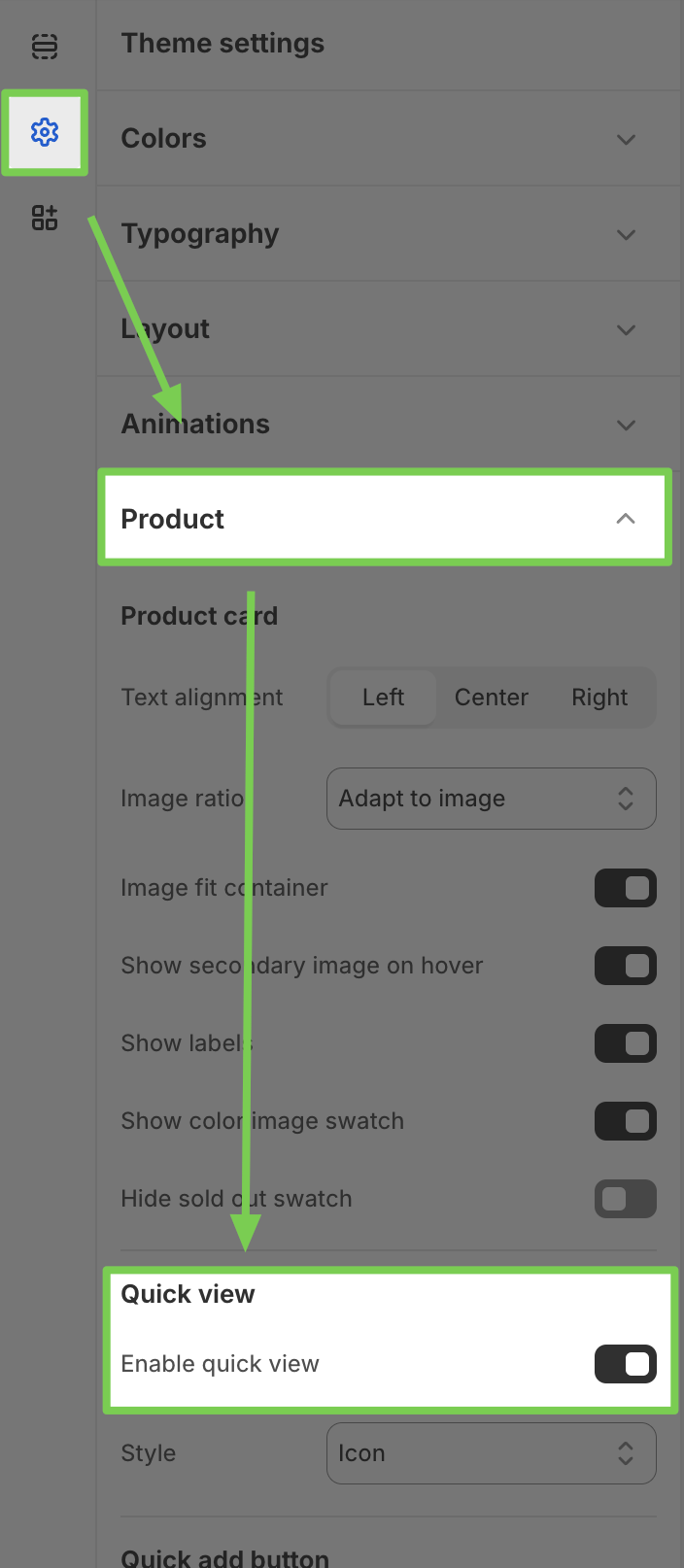
- From your Shopify admin, go to Online Store > Themes.
- Find the theme that you want to edit, and then click Customize.
- Click Theme settings.
- Click Product.
- Check Enable quick view
- Click Save.
Customize your product quick view settings
Section titled “Customize your product quick view settings”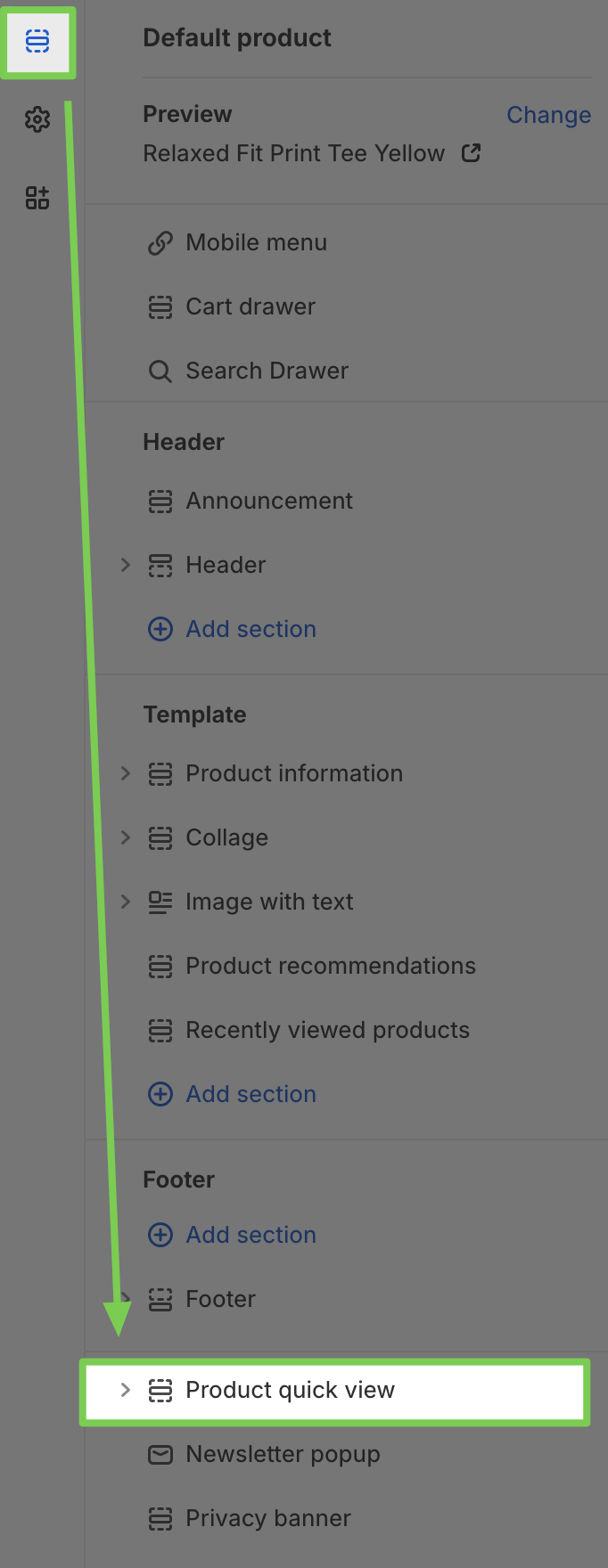
- From your Shopify admin, go to Online Store > Themes.
- Find the theme that you want to edit, and then click Customize.
- In the Left-hand side of your screen, click the Product quick view.
- Add the blocks you need to this section.
- Click Save.